FXO or FXS - What to use

Status
Not open for further replies.

JCubio

Free User
Joined
Oct 7, 2019
Messages
134
Reaction score
13
Hi all,

We currently started using 3CX and we choose the cloud version and it's hosted in Azure.
Now we want to integrate the our ISP's local phone to the 3CX.

But I don't really understand the VoIP networks and I need clarifications on these:
1.What type device should we purchase to integrate it. Is it FXO or FXS device.
  1. What's the best brand that 3CX works best with?
  2. How can I add that device to the cloud via?

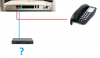
I've attached a basic network layout in our office to picture out what I mean.
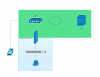
12743
 
If you want to use analogue phones, the you use an FXS gateway(the S stands for Station). If you want to connect to PSTN phone lines, and bring them into the PBX as trunks, then you use an FXO gateway (O=Office, as in central Office). Note that the use of remote FXO's is not supported unless using VPN. There are some that perform both functions (several ports of each).

https://www.3cx.com/voip-gateways/
 
If you want to connect PSTN phone line,s and bring them into the PBX as trunks, then you use an FXO
With this sir, I can call from 3CX extensions to outside using the FXO?
sorry noob question.
 
As Leejor said, gateway are not usable with 3CX on cloud, or you need to use VPN for PBX and all devices to be seen on same LAN.
 
Hi Sir,

I think we can use a VPN in this case.
I'm just confused about which right device to choose now.

From the physical aspect, how do I connect the line to the device? I will just take out the rj11 cable from the physical phone and connect it to the gateway?
 
Hi Sir @aws2p,

But as for the physical perspective, how do I connect our current telephone line to the gateway?
 
gateway are with Rj11 for phone lines and ethernet port for LAN / WAN
 
Which gateway brand and model do you plan to use?
 
We're still figuring that out.
What's the most recommended sir?
 
How many lines do you need on the gateway?
 
The thing is we have two ISP Modems that have it's own telephone number.
Can I plug both telephone line from each modem into 1 gateway?
 
you want to use analogic phone port from your isp modem as a trunk in 3CX?
For FXO use like this, and for one port only i use unsupported linksys SPA3102, this device is only sold on second hand now with very low price.
for example
https://www.ebay.fr/itm/292334468734
I have this model running on V16 SP3
 
Last edited:
https://www.3cx.com/pbx/fxs-fxo/

If you are trying to bring in POTS lines from your provider, you want FXO. Something on this list would be a good start:

https://www.3cx.com/voip-gateways/

The other option is to see if the provider will give you a SIP handoff. That line probably SIP to the modem and then converted to analog there. If they will give you a native SIP connection that wouldn't require a gateway.
 
If they will give you a native SIP connection that wouldn't require a gateway.
In France providers don't want to give us SIP credentials to use out of their box, only one do this, it's FREE but with limitations to French land lines , no mobile even French
 
Now I'm too confused.

This is our modem looks like. And what I want to know is what device we need to use to connect our ISP number to 3CX.
12748
What we want to achieve is if someone calls our local number (from our ISP) we want it to go to our 3CX server which is hosted in cloud.
 
Yep, so you want a FXO device from the supported list and connected over VPN
 
  • Like
Reactions: accentlogic
Last edited:
And just to not further confuse I am sticking a new post in:

In regards to FXO gateway I recommend you use one of the supported Patton gateways from this list:
https://www.3cx.com/voip-gateways/

The Patton SmartNode 4141 FXO is Trinity based and just been supported by 3CX, the others 4114 FXO are legacy and not widely produced any longer - find a Patton distributor in your local area who can provide.

You should be presented BT lines which plug straight into the unit. Then out of the back go RJ45 into your IP network.

For connection to the cloud, VPN your local firewall/router to whatever your provider supports for software VPN, ours supports a software PfSense firewall which attaches to the cloud platform and we create and IPSec tunnel this way, it works perfectly everytime, but be careful to select a provide that supports this as some do not, or it is a real fiddle to setup.
 
Status
Not open for further replies.

Forum statistics

Threads
111,934
Messages
589,818
Members
164,811
Latest member
aurorasigntrtechitnet