Galaxy S9 Android App Issue

Status
Not open for further replies.

jonpwatson5

Customer
Joined
May 25, 2019
Messages
6
Reaction score
0
Phone: Samsung Galaxy S9 (SM-G960F)
Android Version: 9
Baseband Version: G960FXXS3CSD2
Build Number: PPR1.180610.011.G960FXXS3CSD1
Android security patch level: 1 April 2019

3CX App Version: 16.0.0.35 (also same issue with 16.0.0.47)
3CX System Version: 15.5.155202.6

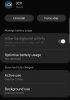
Calls aren't coming through to my Android app, they are only ringing on the desk phone. If I open the app it says registering, so it's obviously not keeping the app running - I've checked the settings for the app and it isn't set to optimise battery usage.
I can see on the event log when I open the Android app it shows it as registered, but then if I come out of the app and leave it to run in the background the eventlog shows it as becoming unregistered. Firebase push is setup.107741077510777

Any ideas? Thanks.
 
Interestingly, I've just tested a device with a different version of Android

Android version 7.1.1 with Android security patch level 1 August 2017 - the same problem is still occurring, so it can't be down to the version of Android and must be something to do with the app.
 
I also tried some older version of the Android app. I went all the way back to 14.0.57 and got a push error notification from that.

The android app has worked in the past for me without issues - this problem only seems have started fairly recently.

10779
 
on my open post i tested with 2 others smartphones, one on android 7.0 and one on 5.1.1 , these 2 with power settings optimisation off are working fine.
 
on my open post i tested with 2 others smartphones, one on android 7.0 and one on 5.1.1 , these 2 with power settings optimisation off are working fine.

What version of the app do you have running on both of those?
 
latest 3CX App Version: 16.0.0.35
 
I think we need someone from 3CX to investigate this. I am more than happy to provide a log from my device that 3CX generates and any server logs.
 
yes ,for now we feel a little bit alone, with our app problem;)
 
yes ,for now we feel a little bit alone, with our app problem;)
:) We can't be the only ones surely? I'm intrigued to know whether iOS users are having any issues as well.
 
Not sure IOS have the same like us, they have other pleasure , to pay their phone a lot.

If you follow the recent open threads a lot are about push not working so fine, so 3cx app is surely very sensitive on this
 
Not sure IOS have the same like us, they have other pleasure, to pay their phone a lot.

Well, I just read above about Android ver 9, ver 7.1.1, ver 7.0, ver 5.1... In fact, as I said long time ago, it's not even an Android OS! It's Samsung OS, Sony OS, Huawei OS, LG OS, HTC OS, Motorola OS, OnePlus OS, Google OS, ZTE OS, Xiaomi OS, BlackBerry OS, to enumerate only eleven of those proudly self-branded "iPhone killers"... Each has their own little, brilliant, revolutionary customization (an extra microphone, an extra power saving, a power-efficient push, an extra camera) making them unique - and incompatible with - other members of the so-called "Android family". Since on iOS there is only one - Apple - "iOS family", of which 78% runs latest iOS 12.x, 17% iOS11.x, it seems indeed iOS users have - to quote you - "other pleasures".
 
joke about "pleasure" was on phone price , when you pay more than 1000€ an iphone you can hope it works, of course i understand it's not easy on Android side (Open Os with no cost for brands , given freely by google) with all overlay software branded on android and of course nothing is similar. I read yesterday about Google complaining about phone manufacturers who don't respect what they should , on first step to update android version on phones. Very often they do no more os upgrade after phone is sold because of their overlay software which need this time a cost to update and developers to be paid for the job.

So now you are right Vali_3CX, we have a constellation of android version and a myriad of branded OS over Android.

Finally, can we expect to have a fix for us;) ?
 
Last edited:
To get in touch with you.... well... I'm full with you @Vali_3CX. I had very much problems with v15 SP5 and SP6 with Android-Devices from Nokia. No push.... after a certain time ( reproducible ). Everything checked ( battery settings, rights etc. ). Still nothing changed.

Statements from CEO Nick Galea like ( pls correct me, if I'm wrong ): "... I find myself more and more using the smartphone app instead of IP / Desk-Phone.." or at the v16 presenstation " 3CX App is the way to go / future... our direction" well ok, but than the App must run on every device ( doesn't matter if iOS or Android ( whatever "vendor"-OS-Edition ) 100% reliable.
 
Hi @jonpwatson5

Just to clarify a couple of points:

1.) The app is not meant to always remain registered in the background. When PUSH arrives, the phone wakes up, registers, and then receives the call.

2.) You mentioned that you use a firebase project, have you tried using 3CX PUSH instead as a test? I would suggest to try it this way, but first go to the management console under the extension > provisioning > 3CX Client and ensure "Enable PUSH for smartphones" is active. Then remove the firebase account from the PBX. You must now resend a welcome email to the extension to reprovision the android client with the new config file. The extension should register, and now you can swipe the app away and lock the phone. The next call should make the phone ring if everything went ok.
 
I have the same problem, the phone on the android goes to sleep and there is no notification about the call, no methods can not (energy saving, firebase repeatedly recreated) all without result, there is also a problem on different smartphones android and does not depend on the mobile Wi-Fi network or 4G network. Prompt a solution or release an update of the application for the mobile version of Android.

In google cloud messaging there is a request statistics, there is no information about requests from the 3cx server, I assume that the problem is that the 3cx server does not request borrowing from the google cloud messaging service, a screenshot of the link:
http://prntscr.com/o0vuz5
 
Last edited:
i finaly ended the problem by changing wifi password, don't understand why it solve issue, but fact is, it does. Of course i've been tricking in power like all other phones
 
i finaly ended the problem by changing wifi password, don't understand why it solve issue, but fact is, it does. Of course i've been tricking in power like all other phones

You are really lucky, this way of bringing me no result.
 
  • Like
Reactions: AWS2P
What Android version are you running ?
do you receive in real time notifications for missed calls even phone never wake up nor ring?
 
What Android version are you running ?
do you receive in real time notifications for missed calls even phone never wake up nor ring?
tested on three versions of android from 6.0.1 to 9, everywhere the result is the same, while the phone is on and the screen is lit, the call comes instantly regardless of the network: internal or external, but if the phone is blocked after 2-5 minutes the call does not pass or passes after 30 -90 sec. call The Russian-language forum also has branches on this topic related to updating the application to the new version, the link below:
 
Status
Not open for further replies.

Members Online Now

Forum statistics

Threads
111,832
Messages
589,286
Members
164,662
Latest member
DejanMDS