Solved Get Started with 3CX

Status
Not open for further replies.

Sergio Fernandez

Free User
Basic Certified
Joined
Aug 31, 2018
Messages
43
Reaction score
9
Hi All

I have just been advised that the PDF sent out on the welcome email when running V16.2 has a floor. In the section for Voicemail (section 4) states dial 999. In the United Kingdom 999 is for the emergency services. The wording of the email reflects the Voicmail number is correct. (eg system VM set to 444, Email wording states 444)
 
The Online version
http://www.3cx.com/user-manual/
Shows the following wording

Setting your Voicemail Greeting
  1. By phone:
    1. Dial the voicemail number as indicated in your welcome email.
    2. Enter your PIN and then press “#”.
    3. Select option “9” then “8” and then “0” to record.
    4. Press “#” to end recording and “0” to save
  2. From the web client:
    1. Go to “Settings” > “Greetings”
    2. From here you can set a greeting according to your status.
Easily set your voicemail greeting via the 3CX Web Client


Use your phone to playback voicemails


To Playback Voicemail
  1. By phone:
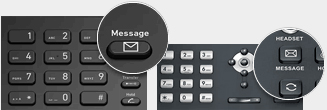
    1. Dial your voicemail number or hit “Voicemail/Message”
    2. Enter your PIN, press “#” and then “*” to play your messages.
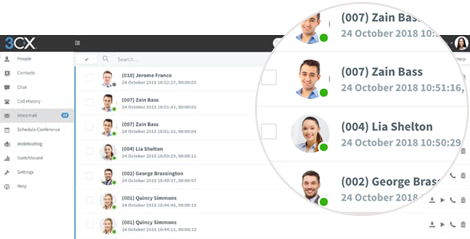
  2. Web Client: Click on “Voicemail” and click the playback icon to listen to the message on your selected phone.
  3. Android & iOS App: Tap on the burger menu and select “Voicemail”, tap on the voicemail and select “Play” to listen to the message.
 
get_started_with_3cx_DEFAULT PDF
 

Attachments

Hi Sergio,

Thanks for reporting this. We are already aware of it so it can be corrected
 
Hi

The PDF shows dial 999 for voicemail. The 3cx live manual is different. See URL below
http://www.3cx.com/user-manual/

Surely 3CX needs to change the PDF to reflect the online version.

Hope this helps
 
We have already had some end users on a newly provisioned system dial 999 accidentally as a result of this. While we are waiting for a fix can you advise the location of the PDF so that we can manually alter it for now.

Regards,

David.
 
Hi David,

This will be addressed in our next update.

For now the PDFs can be found in {your system path}\3CX\Data\Http\Guides
 
  • Like
Reactions: David Forster
Thanks John,

Regards,

David.
 
On a '999' side note I have also noticed that '999' can't be added to the list of emergency numbers because it is already there (even though it's not showing in list). I'm guessing this is because it's one of the default ones, which is fine, however as a result of this it seems that dialling it doesn't trigger the notification email 'Someone dials an Emergency Number'

Hope that's of help.

Regards,

David.
 
Was 999 originally set as voicemail during installation on the current system you tested this on?
 
No 999 has never been set as voicemail.

Regards,

David.
 
Check your system extensions list (from dashboard) and see if the number is already reserved as a system extension please
 
Thanks, checked system extensions (and normal extensions and dial codes) to make sure there is nothing conflicting.

However your advice did lead me down a path to find the answer :)

I tend to create a default setup of outbound rules when setting up a new system, this template I use dates back 10 years, prior to there being a setting for emergency numbers. I.e. I'd create an outbound rule for 999. Obviously this has been superseded by the emergency numbers setting, however my outbound rules were stopping these numbers being added.

I guess the screenshot of the error (attached) was a bit of a red herring which is why I initially didn't think to check this.

11957

Thanks for your assistance and hope this might help others.

Dave.
 
Glad to hear Dave!
 
  • Like
Reactions: David Forster
Status
Not open for further replies.

Forum statistics

Threads
111,933
Messages
589,810
Members
164,808
Latest member
jsbjsb