GHL - Go High Level CRM

Status
Not open for further replies.

Hz0

New User
Joined
Nov 8, 2023
Messages
13
Reaction score
1
GHL CRM doesn't like the [state] parameter from 3CX in the URL. It looks like 3CX requires [state] (I guess the session) on the callback.

Any way around this? Thanks.

Here is the error log
Code:
System.Exception: Server returned a non successful status code
- HTTPStatusCode=UnprocessableEntity - Reason=Unprocessable Entity 
- Content={"statusCode":422,"message":["property state should not exist","property scope should not exist"]
 
GHL CRM doesn't like the [state] parameter from 3CX in the URL. It looks like 3CX requires [state] (I guess the session) on the callback.

Any way around this? Thanks.

Here is the error log
Code:
System.Exception: Server returned a non successful status code
- HTTPStatusCode=UnprocessableEntity - Reason=Unprocessable Entity
- Content={"statusCode":422,"message":["property state should not exist","property scope should not exist"]
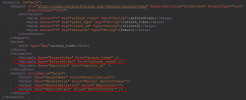
Disregard. Looking at the XML file from the template builder, I saw the following parameters when trying to get the token. After removing them, the connection was successful.
XML:
<Value Key="state" Passes="0" Type="String">[state]</Value>
<Value Key="scope" Passes="0" Type="String">contact.readonly contact.write</Value>
 
  • Like
Reactions: edossantos
Now, there is a new issue while testing, Once the application is authorized I see the refresh token saved, great. But when I click test the first time it seems to work, but any further test I get:
Code:
Server returned a non successful status code - HTTPStatusCode=BadRequest - Reason=Bad Request - Content={"error":"invalid_grant","error_description":"Invalid grant: refresh token is invalid"}
 
This is probably because your CRM is revoking the refresh token every time it gives you an access token. In this case you will need to save the updated Refresh Token, which should be returned along with the Access Token. You will need to adjust your Auth scenario, please check the template we provide for Dynamics, in which this happens, and we implemented it to update the Refresh Token in that case:
1699621813814.png
 
Yes, thank you. I found another post where you mentioned that and fixed it. It works now, but when I make calls I don't have anything going to the CRM. Looking at the logs I can see tests hitting the API, but not for actual calls.
 
Are you making external calls to test? Please note that calls between extensions don't trigger contact lookups.
 
Thanks for the quick response. Yes, I'm making external calls. I can see the call trace, but nothing that triggers the api request. I'm attaching the Call Journaling part of the XML as well.
 

Attachments

  • Screenshot 2023-11-10 at 10.47.19 AM.png
    Screenshot 2023-11-10 at 10.47.19 AM.png
    605.6 KB · Views: 21
You need to enable verbose logs from the 3CX Console > Dashboard > Activity Log > Settings. Then make a test call where you reproduce the issue, and check the 3cxSystemService.log file that you can download from the 3CX Console > Dashboard > Activity Log > Logs button > Instance folder.
 
Thank you Ed. While testing using the test button, I got successful results, and the authorization works, but when trying to generate the ReportCall during an actual call. This is what the log is reporting.

Code:
2023/11/13 13:10:34.923|22261|0028|Verb|CRM: Creating new HttpClient with no authentication
2023/11/13 13:10:34.923|22261|0028|Verb|CRM: Performing POST request to 'https://services.leadconnectorhq.com/oauth/token' with following form values:
2023/11/13 13:10:34.923|22261|0028|Verb|CRM:    'refresh_token' = 'xxxxxxxxxxxx'
2023/11/13 13:10:34.923|22261|0028|Verb|CRM:    'grant_type' = 'refresh_token'
2023/11/13 13:10:34.923|22261|0028|Verb|CRM:    'client_id' = 'xxxxxxxxxxxx'
2023/11/13 13:10:34.923|22261|0028|Verb|CRM:    'client_secret' = 'xxxxxxxxxxxx'
2023/11/13 13:10:34.923|22261|0028|Info|[System.Net.Http.HttpClient.Default.LogicalHandler] Start processing HTTP request POST https://services.leadconnectorhq.com/oauth/token
2023/11/13 13:10:34.923|22261|0028|Info|[System.Net.Http.HttpClient.Default.ClientHandler] Sending HTTP request POST https://services.leadconnectorhq.com/oauth/token
2023/11/13 13:10:34.999|22261|0028|Info|[System.Net.Http.HttpClient.Default.ClientHandler] Received HTTP response headers after 75.6412ms - 400
2023/11/13 13:10:34.999|22261|0028|Info|[System.Net.Http.HttpClient.Default.LogicalHandler] End processing HTTP request after 75.8249ms - 400
2023/11/13 13:10:35.000|22261|0028|Erro|CRM: Exception during call reporting: System.Exception: Server returned a non successful status code - HTTPStatusCode=BadRequest - Reason=Bad Request - Content={"error":"invalid_grant","error_description":"Invalid grant: refresh token is invalid"}

I'm attaching the XML template - I have replaced credentials and some values.
 

Attachments

The refresh token is invalid. That means that somehow it's been revoked. You will need to store the updated token when the CRM returns it. I see that you made the changes I suggested in the template, but maybe the CRM is returning this in a different place. You will need to check your CRM documentation to understand what you need to do....
 
Hey Ed - I've left the project for a bit but got back to it. Authentication and refresh token are working fine. The issue was after hitting the test button, the new refresh token did not get updated on the read-only input. I guess that's how the setup works because once you test it and you get a successful response, you need to re-authenticate the application to get the token and refresh token.

The new problem: Contact lookup works; however, the next scenario does not get the [contactID], and the post to the CRM fails, I'm not sure why, I'm attaching the file (I even removed the SkipIf on the ReportCallMissed just in case it was the cause).
 

Attachments

Even tried with contacts[0].id but still get an empty contactID passed.

Here is the json response from the CRM.

JSON:
{"contacts":[{"id":"xxxxxxxxxxx","locationId":"xxxxxxxxxxx","contactName":"name lastname","firstName":"name","lastName":"lastname","companyName":null,"email":null,"phone":"+1555555555","dnd":false,"type":"lead","source":null,"assignedTo":null,"city":null,"state":null,"postalCode":null,"address1":null,"dateAdded":"2024-01-06T01:52:33.893Z","dateUpdated":"2024-01-06T01:52:33.893Z","dateOfBirth":null,"businessId":null,"tags":[],"followers":[],"country":"US","additionalEmails":[],"attributions":[{"utmSessionSource":"CRM UI","medium":"manual","isFirst":true}],"customFields":[]}],"meta":{"total":1,"nextPageUrl":"http://services.leadconnectorhq.com/contacts/?locationId=xxxxxxxx&query=+1555555555&startAfter=1555555555&startAfterId=xxxxxxxx","startAfterId":"xxxxxxxxx","startAfter":1555555555,"currentPage":1,"nextPage":"","prevPage":null},"traceId":"xxxxxxx-1ccf-xxxxx-8333-449fbc5d5829"}
 
Even tried with contacts[0].id but still get an empty contactID passed.

Here is the json response from the CRM.

JSON:
{"contacts":[{"id":"xxxxxxxxxxx","locationId":"xxxxxxxxxxx","contactName":"name lastname","firstName":"name","lastName":"lastname","companyName":null,"email":null,"phone":"+1555555555","dnd":false,"type":"lead","source":null,"assignedTo":null,"city":null,"state":null,"postalCode":null,"address1":null,"dateAdded":"2024-01-06T01:52:33.893Z","dateUpdated":"2024-01-06T01:52:33.893Z","dateOfBirth":null,"businessId":null,"tags":[],"followers":[],"country":"US","additionalEmails":[],"attributions":[{"utmSessionSource":"CRM UI","medium":"manual","isFirst":true}],"customFields":[]}],"meta":{"total":1,"nextPageUrl":"http://services.leadconnectorhq.com/contacts/?locationId=xxxxxxxx&query=+1555555555&startAfter=1555555555&startAfterId=xxxxxxxx","startAfterId":"xxxxxxxxx","startAfter":1555555555,"currentPage":1,"nextPage":"","prevPage":null},"traceId":"xxxxxxx-1ccf-xxxxx-8333-449fbc5d5829"}
You need to use "contacts.id" as path for your ContactID variable.

Also, make sure you're returning a EntityId and EntityType outputs.
 
You need to use "contacts.id" as path for your ContactID variable.

Also, make sure you're returning a EntityId and EntityType outputs.
Thank you for the response - That's what I have on the posted file above; still not getting the contactID passed to the ReportCall; the EntityId is set to the contactID, and EntityType is set to Contacts on the output.
 
Hey Ed - I've left the project for a bit but got back to it. Authentication and refresh token are working fine. The issue was after hitting the test button, the new refresh token did not get updated on the read-only input. I guess that's how the setup works because once you test it and you get a successful response, you need to re-authenticate the application to get the token and refresh token.

The new problem: Contact lookup works; however, the next scenario does not get the [contactID], and the post to the CRM fails, I'm not sure why, I'm attaching the file (I even removed the SkipIf on the ReportCallMissed just in case it was the cause).
Your contact lookup scenario is not returning the phone number being searched, that will cause that the record is discarded. You need to add a variable to get that from the response:
<Variable Name="PhoneBusiness" Path="contacts.phone"/>

And then add the output for it:
<Output Type="PhoneBusiness" Value="[PhoneBusiness]" />
 
  • Like
Reactions: Evolute IT
I don't know how that will make a difference. The lookup is working fine (it shows in the log).

After the <Scenario Id="" Type="REST"> which is the lookup, the ContactID seems like is not passed to the next scenario for example:

XML:
<Scenario Id="ReportCall" Type="REST">
  <Request SkipIf="[IIf([ReportCallEnabled]!=True,True,[IIf([CallType]!=Inbound,True,False)])]" Url="[APIEndpoint]/contacts/[ContactID]/notes" MessagePasses="0" RequestContentType="application/json" RequestEncoding="Json" RequestType="Post" ResponseType="Json">
    <Headers>
      <Value Key="Version" Passes="0" Type="String">2021-07-28</Value>
    </Headers>
    <PostValues>
      <Value Key="body" Passes="2" Type="String">[InboundCallText] [AssignedTo]</Value>
    </PostValues>
  </Request>
  <Variables />
  <Outputs Next="ReportCallMissed" AllowEmpty="true" />
</Scenario>
<Scenario Id="ReportCallMissed" Type="REST">
      <Request SkipIf="[IIf([ReportCallEnabled]!=True||[EntityId]==&quot;&quot;,True,[IIf([CallType]!=Missed,True,False)])]" Url="[APIEndpoint]/contacts/[ContactID]/notes" MessagePasses="0" RequestContentType="application/json" RequestEncoding="Json" RequestType="Post" ResponseType="Json">
        <Headers>
          <Value Key="Version" Passes="0" Type="String">2021-07-28</Value>
        </Headers>
        <PostValues>
          <Value Key="body" Passes="2" Type="String">[MissedCallText]</Value>
        </PostValues>
      </Request>
      <Variables />
      <Outputs Next="ReportCallTasks" AllowEmpty="true" />
    </Scenario>

Log (contacts/[id should be here]/notes):
Processing scenario 'ReportCallMissed'.
Performing POST request to 'https://services.leadconnectorhq.com/contacts//notes' with message '{"body":"1/9/2024 9:02 AM: Missed call from +xxxxxxxxx to 108"}'.
 
I don't know how that will make a difference. The lookup is working fine (it shows in the log).

After the <Scenario Id="" Type="REST"> which is the lookup, the ContactID seems like is not passed to the next scenario for example:

XML:
<Scenario Id="ReportCall" Type="REST">
  <Request SkipIf="[IIf([ReportCallEnabled]!=True,True,[IIf([CallType]!=Inbound,True,False)])]" Url="[APIEndpoint]/contacts/[ContactID]/notes" MessagePasses="0" RequestContentType="application/json" RequestEncoding="Json" RequestType="Post" ResponseType="Json">
    <Headers>
      <Value Key="Version" Passes="0" Type="String">2021-07-28</Value>
    </Headers>
    <PostValues>
      <Value Key="body" Passes="2" Type="String">[InboundCallText] [AssignedTo]</Value>
    </PostValues>
  </Request>
  <Variables />
  <Outputs Next="ReportCallMissed" AllowEmpty="true" />
</Scenario>
<Scenario Id="ReportCallMissed" Type="REST">
      <Request SkipIf="[IIf([ReportCallEnabled]!=True||[EntityId]==&quot;&quot;,True,[IIf([CallType]!=Missed,True,False)])]" Url="[APIEndpoint]/contacts/[ContactID]/notes" MessagePasses="0" RequestContentType="application/json" RequestEncoding="Json" RequestType="Post" ResponseType="Json">
        <Headers>
          <Value Key="Version" Passes="0" Type="String">2021-07-28</Value>
        </Headers>
        <PostValues>
          <Value Key="body" Passes="2" Type="String">[MissedCallText]</Value>
        </PostValues>
      </Request>
      <Variables />
      <Outputs Next="ReportCallTasks" AllowEmpty="true" />
    </Scenario>

Log (contacts/[id should be here]/notes):
Processing scenario 'ReportCallMissed'.
Performing POST request to 'https://services.leadconnectorhq.com/contacts//notes' with message '{"body":"1/9/2024 9:02 AM: Missed call from +xxxxxxxxx to 108"}'.
You're not sending it in the PostValues.
 
ContactID doesn't need to be in the post values it should be in Url="[APIEndpoint]/contacts/[ContactID]/notes" <== that is empty.
 
I don't know how that will make a difference.
Because if your template doesn't return that data, the record will be discarded.

ContactID doesn't need to be in the post values it should be in Url="[APIEndpoint]/contacts/[ContactID]/notes" <== that is empty.
This is because the contact details are not attached to the call, so when the call ends you don't have the contact ID. Your lookup scenario MUST return the phone number being searched, otherwise the record is discarded.
 
  • Like
Reactions: Evolute IT
I just tested replacing [ContactID] for [EntityId] in Url="[APIEndpoint]/contacts/[ContactID]/notes" as both are set with the value and it works, confused :rolleyes:.
 
Status
Not open for further replies.

Forum statistics

Threads
112,322
Messages
591,882
Members
165,468
Latest member
kanderson