Grandstream 2160 cannot transfer calls with speed dial or BLF 15.5 sp3

Status
Not open for further replies.

exico91

Joined
Feb 9, 2018
Messages
3
Reaction score
0
This update did more damage than good and 3cx should allow to download every version of their software to enable rollback.

Anyway:
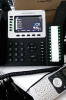
I updated the GXP2160 with the 3cx maintenance firmware and stopped to call themselves but now they cannot transfer calls with the BLF or speed dial buttons either from the column on the right of the phones or the onscreen ones. To transfer calls now i have to do it manually with transfer -> write number -> OK instead of just transfer -> press BLF button
Now if i press transfer and then BLF of the number i want to transfer to i just get a 1 second tone and then the call drops.
This function works fine on yealink in the same environment.
 
@exico91
Hi,
It's good that you upgraded the phones to the supported FW version. Now please be sure that they are provisioned using the default provisioning template.

Now about the transfer.
Where did you find the information that you need to press the transfer button first and then the BLF button? It's not the supported transfer scenario. You don't need to press the transfer button at all.
Just establish the call and then press the BLF (or Speed Dial) button, that's all. See attached video.
The transfer method (Blind or Attended) that need to be used during the "BLF transfer" scenario can be provisioned from the Phone Provisioning tab of the extension settings.
 

Attachments

  • gs_transfer.gif
    gs_transfer.gif
    4.6 MB · Views: 39
  • Like
Reactions: phonemaster
I'm having issues with the GXP2160. with call transfers. I can't transfer at all. Running v15.5 SP3
The phone has the latest firmware from grandstream website.
 
I'm having issues with the GXP2160. with call transfers. I can't transfer at all. Running v15.5 SP3
The phone has the latest firmware from grandstream website.

Hi Rogelio Calderon,
Grandstream phones are supported starting from the FW versions specified in the following manuals:
https://www.3cx.com/sip-phones/grandstream-gxp16-series/
https://www.3cx.com/sip-phones/grandstream-gxp17-series/
https://www.3cx.com/sip-phones/grandstream-gxp21-series/

To have your phones fully functional you need to have these FW versions on your phones and they need to be provisioned using the default provisioning templates.
 
I do have that firmware installed. Unfortunately 3cx does NOT have templates for the GXP2160.
 
GXP2160 templates are included in V15.5 SP3. If you are running this version you should be able to see the templates when adding a phone under extensions. If the model is not visible i would recommend clearing your browsers cache or trying from an incognito tab of a supported browser. 2018-02-15_12h11_30.png
 
We have the same issue, we not using a custom template.
After provisioning this issue start. The phones are using the 1.0.9.58.
Running 15.5 SP3.
 
Just wanted to share my experience. I have the GXP2170 with expansion module GXP2200EXT. While the call is connected if I press any of the BLFs it will blind transfer or attended transfer depending on how it's provisioned. But if I press Transfer then try the BLF nothing happens. FW Version: 1.0.9.58
 
@exico91
Now about the transfer.
Where did you find the information that you need to press the transfer button first and then the BLF button? It's not the supported transfer scenario. You don't need to press the transfer button at all.
Just establish the call and then press the BLF (or Speed Dial) button, that's all. See attached video.
The transfer method (Blind or Attended) that need to be used during the "BLF transfer" scenario can be provisioned from the Phone Provisioning tab of the extension settings.
This is ok but... what if phone users are used to transfer the other way?

What does exactly mean it is not the supported transfer scenario?

If someone wants to start the transfer on a BLF by pressing the transfer key before, they must just disable the option Enable transfer via non-Transfer MPK on Settings->Programmable Keys->Virtual Multi-Purpose Keys Settings.

An option that by the way is disabled by default but set to enable in 3CX provided template
Code:
    <!-- Enable transfer via non-Transfer MPK. 0 - No, 1 - Yes. Default is 0 -->
    <!-- Number: 0,1 -->
    <!-- Mandatory -->
    <P22162>1</P22162>
 
Last edited:
Hi YiannishH, Yes i can see these new phone templates for the correct Grandstream model the customer has. Can you tell me how I can make a copy of these and add them to custom templates please?
Or alternatively how can we edit the new templates to make a minor necessary change (eg change one P value?)
Thanks
Please note that custom templates are not supported by 3CX and if you face an issue you will be asked to revert back to the defaults.
Having said that, general instructions on how to create a custom template are outlined here.
 
Status
Not open for further replies.

Latest Posts

Forum statistics

Threads
111,884
Messages
589,542
Members
164,741
Latest member
Carsonix