- Joined
- Sep 20, 2021
- Messages
- 26
- Reaction score
- 4
Hi,
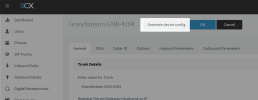
I have been trying to add a Grandstream GWX4104 for sometime now without any success I think that that the prroblem could be associated with the provisioning file path which is somehow taking the FQDN as shown 3cx.vcxtechnologies.net:5000/provisioning/xxxxxxxxx how can this be converted to take in the local IP address of the 3CX machine xxx.xx.xxx.xxx:5000/provisioning/xxxxxxxxx as I have tried so many times to add this Gateway without any success even though I have followed the instructions over and over again without any success
I have been trying to add a Grandstream GWX4104 for sometime now without any success I think that that the prroblem could be associated with the provisioning file path which is somehow taking the FQDN as shown 3cx.vcxtechnologies.net:5000/provisioning/xxxxxxxxx how can this be converted to take in the local IP address of the 3CX machine xxx.xx.xxx.xxx:5000/provisioning/xxxxxxxxx as I have tried so many times to add this Gateway without any success even though I have followed the instructions over and over again without any success
Last edited by a moderator: