Grandstream HT801 ATA is not provisioning

Status
Not open for further replies.

CenterComs

Bronze Partner
Basic Certified
Joined
Feb 9, 2021
Messages
23
Reaction score
2
Hi Team,
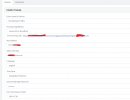
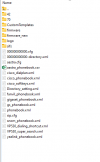
I am trying to register (Provision) this ATA but it doesn't go through. I checked the server by FTP and the XML file does not exist. I updated the device with the latest firmware too, What could be wrong?

Thanks for your help

HT801-1.png
HT801-2.png
 
Hi Team,
I am trying to register (Provision) this ATA but it doesn't go through. I checked the server by FTP and the XML file does not exist. I updated the device with the latest firmware too, What could be wrong?

Thanks for your help

View attachment 38449
View attachment 38448
File gets generated on the fly when requested. Never stored on the server.

You should never show the provisioning URL online.

Go ahead, visit the URL shown in your browser from a computer in the local lan and you can see and save the XML file.
 
  • Like
Reactions: TheodorosG_3CX
That is correct, the file is generated upon configuration once it is requested.
If you are in the same local network, copy the link and put it on your browser. You should be able to see the xml.
 
File gets generated on the fly when requested. Never stored on the server.

You should never show the provisioning URL online.

Go ahead, visit the URL shown in your browser from a computer in the local lan and you can see and save the XML file.
The problem is when I right-click on the link and save-as since the file does not exist. The file should be on the server then I can download or save it to my local drive. The problem is the file does not exist. Also, how can I send a request? while the provisioning URL is not in the ATA stored. I need to have the XML file to upload to the ATA.
 
The problem is when I right-click on the link and save-as since the file does not exist. The file should be on the server then I can download or save it to my local drive. The problem is the file does not exist. Also, how can I send a request? while the provisioning URL is not in the ATA stored. I need to have the XML file to upload to the ATA.
The file isnt on the server. Just open the link in the browser.. To provison the ata, just copy the url in to the ata.
 
Your selected interface is FQDN.

For this to work, you actually have to create an entry on your local DNS to point towards the LAN IP of 3CX.

Otherwise, change the interface to IP and save, then try again.
 
  • Like
Reactions: Alejandro_3CX
The file isnt on the server. Just open the link in the browser.. To provison the ata, just copy the url in to the ata.
To further clarify, click this link:
1701291253064.png

The config will load right there. Then you can right click -> save as
 
this doesn't work. What other ATA are you recommending?
 
Thanks for following up

The PBX is installed on a virtual server on the cloud, not using SBC or Local Server. And yes when I right-click on the link I get an error that says the host is not found. When through FTP I access the server and go to the provisioning directory (folder) there is no file with the name cfgxxxxxxxxxxx.xml therefore even if I right-click there is nothing to download. to save my time I tend to buy another ATA that works with 3CX better than the one I am using. The device was working before but after several updates on 3cx and the firmware, it stopped working, I reset it to factory default and did the process again but it never started to work, So the best to same time and money is to buy something more compatible.
 
That would seem to be a DNS error as mentioned above.

You might double check https://www.3cx.com/docs/creating-fqdn-split-dns/
the FQDN resolves, the server is not installed on Windows. It's self-hosted. All phones and devices are provisioned properly and they resolve the FQDN. only this device is not provisioning since lack of cfgXXXXXXXXxml file in the provisioning folder on my cloud Linux Server
 
Where does “host is not found” appear then?

The file will never exist on disk as stated above. It’s not supposed to.
 
The PBX is installed on a virtual server on the cloud, not using SBC or Local Server.
You should have started your post with this information. This is why the link is not working, you were choosing the wrong provisioning type (we generate different links according to type). For cloud PBX, an SBC is mandatory.

No problem though, the answer you want is here:

- Install an SBC and make sure it has connected to 3CX
- Change the ATA provisioning type in 3CX to SBC, and pick your newly added SBC from the drop down option that will appear.
- Press OK to save, then open the ATA config page again and you will get a new link that works
- This link 100% requires the SBC, it cannot work without it.

https://www.3cx.com/docs/3cx-tunnel-session-border-controller/
 
  • Like
Reactions: bitn2
Status
Not open for further replies.

Forum statistics

Threads
111,974
Messages
590,081
Members
164,899
Latest member
mazet
