- Joined
- Feb 9, 2021
- Messages
- 23
- Reaction score
- 2
File gets generated on the fly when requested. Never stored on the server.Hi Team,
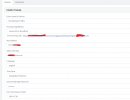
I am trying to register (Provision) this ATA but it doesn't go through. I checked the server by FTP and the XML file does not exist. I updated the device with the latest firmware too, What could be wrong?
Thanks for your help
View attachment 38449
View attachment 38448
The problem is when I right-click on the link and save-as since the file does not exist. The file should be on the server then I can download or save it to my local drive. The problem is the file does not exist. Also, how can I send a request? while the provisioning URL is not in the ATA stored. I need to have the XML file to upload to the ATA.File gets generated on the fly when requested. Never stored on the server.
You should never show the provisioning URL online.
Go ahead, visit the URL shown in your browser from a computer in the local lan and you can see and save the XML file.
The file isnt on the server. Just open the link in the browser.. To provison the ata, just copy the url in to the ata.The problem is when I right-click on the link and save-as since the file does not exist. The file should be on the server then I can download or save it to my local drive. The problem is the file does not exist. Also, how can I send a request? while the provisioning URL is not in the ATA stored. I need to have the XML file to upload to the ATA.
When you click the link the config file doesn't show on screen? Are you accessing the management console over the internet (public IP address) or over a site2site VPN, SBC, or in the local LAN? You need to be in that second group.this doesn't work. What other ATA are you recommending?
That would seem to be a DNS error as mentioned above.host is not found
the FQDN resolves, the server is not installed on Windows. It's self-hosted. All phones and devices are provisioned properly and they resolve the FQDN. only this device is not provisioning since lack of cfgXXXXXXXXxml file in the provisioning folder on my cloud Linux ServerThat would seem to be a DNS error as mentioned above.
You might double check https://www.3cx.com/docs/creating-fqdn-split-dns/
You should have started your post with this information. This is why the link is not working, you were choosing the wrong provisioning type (we generate different links according to type). For cloud PBX, an SBC is mandatory.The PBX is installed on a virtual server on the cloud, not using SBC or Local Server.
Founded in 2005, when VoIP was an emerging technology, 3CX has gone on to establish itself as a global leader in business communications.