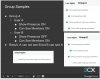
Group Sample

Status
Not open for further replies.

AbdulKader Anwar

Forum User
Joined
Aug 8, 2017
Messages
18
Reaction score
0

Attachments

  • GroupSample2.JPG
    GroupSample2.JPG
    90.5 KB · Views: 6
Hello @AbdulKader Anwar

From the provided screenshot i can see that you are talking about group rights but the slide is referring to extension rights inside the same group. Can you elaborate as to what you are trying to achieve and what is not working?
 
  • Like
Reactions: AbdulKader Anwar
Hi YiannisH_3CX,

Sorry. Thanks for pointing out. Now i got it. I created 2 Groups as previous Slide. Now cleared.

Thanks

Regards
Kader
 
Hello @AbdulKader Anwar

From the provided screenshot i can see that you are talking about group rights but the slide is referring to extension rights inside the same group. Can you elaborate as to what you are trying to achieve and what is not working?

Sorry to trouble again. I tried Created a group name Group A and added 2 extensions to Group A. Then individually set rights in the extension as

Ext A : Show Presence ON / Can see Members ON
Ext B: Show Presence OFF / Can see Members ON

but when i checked in the web client still the result is same as both extensions can see each other. Did i miss something or in wrong path.

As per the result, Ext A cannot see Ext B, but Ext B can see Ext A.

Advise.

Thanks
Kader
 
I would recommend you start simple. Put all extensions in one group and delete the other group. Then go under extension settings / rights and perform the changes
Ext A : Show Presence ON / Can see Members ON
Ext B: Show Presence OFF / Can see Members ON

You should not be able to see Ext B from extension A.

Then you can create a second group and add the extensions there. Note that under extension settings / rights the rights displayed are per group. So extensions that are members of multiple groups can have different rights per group.

To avoid any confusion make sure that extensions are only members of a single queue.
 
Just to clarify, when i set the rights to extensions as mentioned above, i need to remove the rights from the Group and enable the rights individually right.
 
The rights under the groups tab are the rights your extension will assume if you place it into that group and assign it either a manager or a user role. So if you create a new extension and assign it to group A it will assume the rights of group A. If you need to assign different rights per extension that are in the same group then you can specify those rights under extension settings.
If an extension is a member of multiple groups you can assign different rights per group.

So to answer your question, when you want to change the rights for a specific extension then you need to do it from extension rights but you do not need to delete the group rights.
 
Status
Not open for further replies.

Latest Posts

Forum statistics

Threads
111,873
Messages
589,496
Members
164,719
Latest member
David Gharakhanian