Solved Headset with webclient and other computer sound

Status
Not open for further replies.

van12

Platinum Partner
Advanced Certified
Joined
Feb 4, 2013
Messages
4
Reaction score
1
When using a headset in combination with the webclient (Windows), al other computersound is also played via headset. What is very annoying. Is there a simple trick to disable all sounds but not the sound which is related to 3CX Webclient?
 
Hi @van12,

Have you tried to change your Sound Settings in Windows?

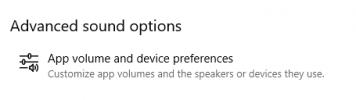
If you search for Sound and open the Sound Options, at the bottom you'll see Advanced Sound Options.

1618298250739.png

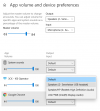
Within these options, you can choose the default input/output device for 3CX. Give that a bash and let me know.

1618298208365.png
 
Hi @VasilisV_3CX,

Thanks for pointing in the right direction. I missed that one. In my case 3CX isn't listed there. Only Google Chrome and Systems Sounds.
 
Hi @van12,

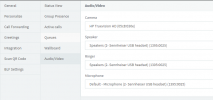
For the Web Client, log in to the extension >> Settings >> Personalise >> Audio/Video - make sure the Ringer / Speaker and Mic are set to your USB Headset.

1618299051111.png

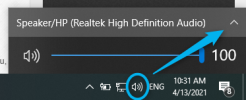
Now in Windows, change your system sounds to your laptop / computer.

1618299143467.png

Play youtube video for example to test that the sound is coming through the laptop / computer then place a call to the extension. It should now work the way you want.
 
Got it. Thanks.
 
  • Like
Reactions: VasilisV_3CX
Status
Not open for further replies.

Forum statistics

Threads
112,025
Messages
590,368
Members
164,978
Latest member
FringeIT-Eric