- Joined
- Sep 16, 2018
- Messages
- 2
- Reaction score
- 0
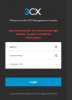
And now cant access the PABX I setup on Google cloud.
I had saved my password and used the same password on the system which didn't work.
It has a 24 hour blacklist cooldown but as I have an assignment due I need to get access sooner than that.
I'm worried as my mobile softphone and Windows softphone now have gone offline.
I don't believe the entire PABX would go down and am now suspicious my system has been hacked.
What can I do? HELP
Any leads?
I had saved my password and used the same password on the system which didn't work.
It has a 24 hour blacklist cooldown but as I have an assignment due I need to get access sooner than that.
I'm worried as my mobile softphone and Windows softphone now have gone offline.
I don't believe the entire PABX would go down and am now suspicious my system has been hacked.
What can I do? HELP
Any leads?