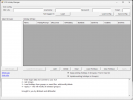
Holiday Manager (powershell script, with GUI)

GMark

Customer
Basic Certified
Joined
Jul 4, 2022
Messages
21
Reaction score
14
Hi all,
Attached a powershell script to manage your holidays, hope it helps.
By the way, it contains some code from the famous @fxbastler :)
Regards

Screenshot 2025-08-19 144718.png
 

Attachments

Last edited:
Thx! Seams to work. Great work!

Just for Info: When you enter a new Holiday and the WAV File does not exists, you will get this Error...

OfficeHolidays[0].HolidayPrompt:
WARNINGS.XAPI.NOT_FOUND
- OfficeHolidays[0].HolidayPrompt: WARNINGS.XAPI.NOT_FOUND

When you add new Holiday, the HolidayPromt is automatically filled out with "prompt.wav" and this WAV File does not exist. So just fill the Field with an existent WAV or leave it empty
 
  • Like
Reactions: GMark
Is token the TOTP code?

I can't login

Error 3CX login: The remote name could not be resolved:'https'
then removing https:// from my URL


Error 3CX login: Unable to connect to the remote server.
 
Last edited:
Yes, Token is the TOTP code.

Error: did you try to completely close powershell, then try again (without https:// prefix)?
 
When you are not using default HTTPS port, you also need to enter the HTTPS port like 3cx.at:5001
 
I was using the port the whole time, but yes, closing powershell and trying again without the prefix worked.
 

Members Online Now

Forum statistics

Threads
111,831
Messages
589,277
Members
164,660
Latest member
RJenkinsROCK