Holiday prompt not working

Status
Not open for further replies.

Paul Farr

Forum User
Basic Certified
Joined
Aug 14, 2018
Messages
20
Reaction score
2
Hi,

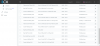
We've used the holiday prompt for almost a year now. Therefore have the option ticked on our SIP trunk / DID etc. Have the dates set correctly too but ever since migrating to a different server and upgrading to v16 at the same time... The holiday prompt no longer works? Does anyone know what this might be?
10816

10817

Obviously the missing info in the screenshot is just blanked out and has the correct numbers etc... entered

Thanks
 
Hi Paul,

I noticed the Christmas Holiday spans across two years. Can you delete that one and recreate it and then let me know if the holiday prompts start to work again?
 
  • Like
Reactions: Paul Farr
Ah I thought you were on to something then! Unfortunately that didn't work.

10818
 
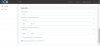
Are you expecting the "May Half Term 2020" one to be in effect at the moment?

Was this entry made/modified after the start date had already passed by any chance?
 
At the moment, 'May Half Term 2019' should be in effect and would have been created back in September.

Edit: And wouldn't have been modified in months / possibly never edited.
 
Yes, sorry that's the one I meant. Since the system should be in Out Of Office mode but isn't, I would suggest to restart the services in this case to see if the system will react to the holiday and enter Out Of Office mode.
 
I've restarted the services but still no different.

One thing I have just worked out is that if the phone system is set to default office hours via the dial code *640, it works fine but we have always forced it out of office when the receptionist leaves with *642 then the holidays take over the day after for the holidays - in a way overriding that. This isn't happening anymore.
 
Hi Paul,

Yes, I can confirm that in V16 when your are in "forced Out-of-Office mode" then the holiday prompt will not play
 
Ah that would explain it then! Bit of a shame that's been changed.

Thanks for the help.
 
The original intention was always to use the forced out of office as an emergency override mode that stops the normal functions of the system rather than a daily function, so this was patched to work as originally intended.

I can suggest alternatives though if you need to open or close the office on demand, there are other ways of achieving similar behavior without putting the system in forced out of office mode.
 
  • Like
Reactions: Paul Farr
The way we used it is for our main receptionist to manually put the main incoming ddi / digital receptionist in out of office rather than it being timed.

Our receptionists leave around 4 each day but more often than not, they leave later but never the same time. Therefore the timers where useless for them.

For clarification we have our main ddi, going to two different digital receptionists one in office hours and another out of hours. Then the in office hours one transfers to a prioritised hunt group.
 
Depending on your desired outcome it may be better to redesign the call flow around the operation of Statuses.

You could add a dummy extension in front, and control it via Statuses. This way the receptionist can open or close the office on demand without closing the whole PBX. The dummy extension can also have a custom schedule or exceptions for additional flexibility.
 
Status
Not open for further replies.

Forum statistics

Threads
111,926
Messages
589,762
Members
164,799
Latest member
RicoDinero