Holiday Script not working as planned, but working.

Michael_Sigmavista

Silver Partner
Advanced Certified
Joined
Oct 31, 2024
Messages
42
Reaction score
5
Hello again,

i testet the holiday script behavior last Friday a lot and recogniced that, as it is set to be fired up by any incomming call on the trunk,
It does not play the holiday records as assigned. it simply does nothing.
The very moment i use it as a forwarding target (for holidays) in a queue it starts working.

It is a little bit sad becouse as far as i know we got told in the v20 Webinars to "just" use it.

And since the manual does not say anything about using it as a forwarding target it was a little inconvenient, becouse i needed the Customer to complain abt. it just to recognice that it is not working.

https://www.3cx.com/docs/holiday-script/

How it Works​

  1. When a call comes in on the assigned SIP trunk, the script is triggered.
  2. The script checks if the current date matches any of the holidays you’ve defined.
  3. If a match is found, the script plays the holiday audio prompt you created in Step 2.
  4. If the day falls on a holiday, the call is routed to the holiday destination.

My Question here is:

am i missing something ?
Does the Script work for anybody else "out of the box" ?
 
sry, thought it would make more sense seeing what's happening :)
I'm selecting the first department "Amministratore di Sistema" for the destination IVR. the incoming call is immediately diverted to the IVR -> outside office hours -> transferred to the office closed IVR
Then I'm selecting the second department "Amministrativo" in the destination IVR. incoming call goes to ROUTER, plays the prompt and terminates the call (as per specified in the IVR when on holiday settings)

I'll try debugging it with your logging code tonight when that pbx is outside office hours. I tried to replicate it on a test pbx but it just works as it's supposed to
 
I'm selecting the first department "Amministratore di Sistema" for the destination IVR. the incoming call is immediately diverted to the IVR -> outside office hours -> transferred to the office closed IVR
Then I'm selecting the second department "Amministrativo" in the destination IVR. incoming call goes to ROUTER, plays the prompt and terminates the call
Is there a currently valid holiday entry in both departments?
 
not working department (was a group in v18)
1766500208437.png


working department (was also a group in v18)
1766500272180.png

Is there a currently valid holiday entry in both departments?
yep (system time is correct)
 
Is there a currently valid holiday entry in both departments?
I take back the question. I can now see it in the pictures. Yes, it looks like both departments have a valid holiday entry for today.

Then: insert the line in holiday.cs and monitor 3CXCallFlow.log .
 
  • Like
Reactions: guidoq
I'll try debugging it with your logging code tonight when that pbx is outside office hours.
What time will that be roughly?
We’re probably in the same time zone ;)
 
thanks for your help, appreciate it.
I tried with the log line you suggested and that was really helpful on understanding what is going on, still no idea why one plays the prompt and the other not.

I renamed the departments in "Working DEPT" and "Not Working DEPT"


IVR 800 under Working DEPT

Code:
2025/12/23 19:56:29.670|0005|Info| [_3CX.CallPair] <no handler>.4.[C:2.2]-LogID has been set to 4.[C:2.2]
2025/12/23 19:56:29.671|0005|Info| [_3CX.CallPair] CallFlowCore.BuiltIn.Router.Router.4.[C:2.2]-Call is not ready AutoAnser=False ConnectionStatus=Ringing
2025/12/23 19:56:29.671|0005|Info| [_3CX.ScriptRunner] CallStorageSize=1(0)
2025/12/23 19:56:29.731|0005|Info| [_3CX.CallPair] <no handler>.4.[C:2.2]-LogID has been set to 4.[C:2.2]
2025/12/23 19:56:29.732|0005|Info| [_3CX.ScriptRunner] Added new call 2 with connection on Wroutepoint.121: ROUTER
2025/12/23 19:56:29.734|0005|Info| [_3CX.ScriptRunner] CallStorageSize=1(1)
2025/12/23 19:56:29.734|0013|Info| [_3CX.Script] CallFlowCore.BuiltIn.Router.Router.4.[C:2.2]-Incoming routing request on behalf of Wexternalline.101: 10000 on Wprovider.3: cust.sip.twt.it:5060 - TWT - (redacted)
2025/12/23 19:56:29.735|0013|Info| [_3CX.Script] CallFlowCore.BuiltIn.Router.Router.4.[C:2.2]-Trunk Wexternalline.101: 10000 on Wprovider.3: cust.sip.twt.it:5060 - TWT - (redacted) injects custom script holiday. Trying to execute
2025/12/23 19:56:29.739|0013|Erro| [_3CX.Script] _holiday_2.PlayDestinationHolidayPromptBeforeRouting.4.[C:2.2]-
******** holiday.cs destination is extension 800 department is Working DEPT status is Holiday
2025/12/23 19:56:29.739|0013|Info| [_3CX.CallPair] _holiday_2.PlayDestinationHolidayPromptBeforeRouting.4.[C:2.2]-RunWithMedia postpone requested action
2025/12/23 19:56:29.739|0013|Info| [_3CX.CallPair] _holiday_2.PlayDestinationHolidayPromptBeforeRouting.4.[C:2.2]-Request Answer: AutoAnswer=False ConnectionStatusRinging


IVR 800 under "Not Working DEPT"

Code:
2025/12/23 19:58:01.200|0005|Info| [_3CX.CallPair] <no handler>.6.[C:3.2]-LogID has been set to 6.[C:3.2]
2025/12/23 19:58:01.201|0005|Info| [_3CX.CallPair] CallFlowCore.BuiltIn.Router.Router.6.[C:3.2]-Call is not ready AutoAnser=False ConnectionStatus=Ringing
2025/12/23 19:58:01.201|0005|Info| [_3CX.ScriptRunner] CallStorageSize=1(0)
2025/12/23 19:58:01.267|0005|Info| [_3CX.CallPair] <no handler>.6.[C:3.2]-LogID has been set to 6.[C:3.2]
2025/12/23 19:58:01.268|0005|Info| [_3CX.ScriptRunner] Added new call 3 with connection on Wroutepoint.121: ROUTER
2025/12/23 19:58:01.273|0005|Info| [_3CX.ScriptRunner] CallStorageSize=1(1)
2025/12/23 19:58:01.275|0009|Info| [_3CX.Script] CallFlowCore.BuiltIn.Router.Router.6.[C:3.2]-Incoming routing request on behalf of Wexternalline.101: 10000 on Wprovider.3: cust.sip.twt.it:5060 - TWT - (redacted)
2025/12/23 19:58:01.275|0009|Info| [_3CX.Script] CallFlowCore.BuiltIn.Router.Router.6.[C:3.2]-Trunk Wexternalline.101: 10000 on Wprovider.3: cust.sip.twt.it:5060 - TWT - (redacted) injects custom script holiday. Trying to execute
2025/12/23 19:58:01.285|0009|Erro| [_3CX.Script] _holiday_2.PlayDestinationHolidayPromptBeforeRouting.6.[C:3.2]-
******** holiday.cs destination is extension 800 department is Not Woking DEPT status is OutOfOfficeHours
2025/12/23 19:58:01.285|0009|Info| [_3CX.Script] _holiday_2.PlayDestinationHolidayPromptBeforeRouting.6.[C:3.2]-Script result - 'False'
2025/12/23 19:58:01.285|0009|Info| [_3CX.Script] _holiday_2.PlayDestinationHolidayPromptBeforeRouting.6.[C:3.2]-Returning False
2025/12/23 19:58:01.285|0009|Info| [_3CX.CallPair] _holiday_2.PlayDestinationHolidayPromptBeforeRouting.6.[C:3.2]-Returning from PlayDestinationHolidayPromptBeforeRouting to Router
2025/12/23 19:58:01.285|0009|Info| [_3CX.Script] CallFlowCore.BuiltIn.Router.Router.6.[C:3.2]-holiday returned call to standard external line routing
2025/12/23 19:58:01.285|0009|Info| [_3CX.Script] CallFlowCore.BuiltIn.Router.Router.6.[C:3.2]-DID=(redacted) CallerId=(redacted)intercepted by:
 [] - ForwardAll()


IVR 800 under "Not Working DEPT", I set up office hours and expanded the holiday range from 2010 to 2030 just to be surexD

Code:
2025/12/23 20:01:55.652|0005|Info| [_3CX.CallPair] <no handler>.10.[C:4.2]-LogID has been set to 10.[C:4.2]
2025/12/23 20:01:55.653|0005|Info| [_3CX.CallPair] CallFlowCore.BuiltIn.Router.Router.10.[C:4.2]-Call is not ready AutoAnser=False ConnectionStatus=Ringing
2025/12/23 20:01:55.653|0005|Info| [_3CX.ScriptRunner] CallStorageSize=1(0)
2025/12/23 20:01:55.684|0005|Info| [_3CX.CallPair] <no handler>.10.[C:4.2]-LogID has been set to 10.[C:4.2]
2025/12/23 20:01:55.685|0005|Info| [_3CX.ScriptRunner] Added new call 4 with connection on Wroutepoint.121: ROUTER
2025/12/23 20:01:55.686|0005|Info| [_3CX.ScriptRunner] CallStorageSize=1(1)
2025/12/23 20:01:55.688|0013|Info| [_3CX.Script] CallFlowCore.BuiltIn.Router.Router.10.[C:4.2]-Incoming routing request on behalf of Wexternalline.101: 10000 on Wprovider.3: cust.sip.twt.it:5060 - TWT - (redacted)
2025/12/23 20:01:55.688|0013|Info| [_3CX.Script] CallFlowCore.BuiltIn.Router.Router.10.[C:4.2]-Trunk Wexternalline.101: 10000 on Wprovider.3: cust.sip.twt.it:5060 - TWT - (redacted) injects custom script holiday. Trying to execute
2025/12/23 20:01:55.691|0013|Erro| [_3CX.Script] _holiday_2.PlayDestinationHolidayPromptBeforeRouting.10.[C:4.2]-
******** holiday.cs destination is extension 800 department is Not Woking DEPT status is OfficeHours
2025/12/23 20:01:55.691|0013|Info| [_3CX.Script] _holiday_2.PlayDestinationHolidayPromptBeforeRouting.10.[C:4.2]-Script result - 'False'
2025/12/23 20:01:55.691|0013|Info| [_3CX.Script] _holiday_2.PlayDestinationHolidayPromptBeforeRouting.10.[C:4.2]-Returning False
2025/12/23 20:01:55.691|0013|Info| [_3CX.CallPair] _holiday_2.PlayDestinationHolidayPromptBeforeRouting.10.[C:4.2]-Returning from PlayDestinationHolidayPromptBeforeRouting to Router
2025/12/23 20:01:55.691|0013|Info| [_3CX.Script] CallFlowCore.BuiltIn.Router.Router.10.[C:4.2]-holiday returned call to standard external line routing
2025/12/23 20:01:55.691|0013|Info| [_3CX.Script] CallFlowCore.BuiltIn.Router.Router.10.[C:4.2]-DID=(redacted) CallerId=(redacted)intercepted by:
 
thanks for your help, appreciate it.
you're welcome :)

^nice logs btw :)

Does this help you find the error?
Is it a 3CX issue or a configuration problem that you can solve yourself?
 
well, that I don't know lol. I can solve it myself using a different solution like a cfd, as I don't have the skills to debug this

I get that the if statement is false cause my timeBasedroute.reason = OfficeHours, but I've no idea what the function GetTimeBasedRoutingInfo() does and why does it sets the reason OfficeHours for one department and Holiday on the other department
 
but I've no idea what the function GetTimeBasedRoutingInfo() does
it does exactly what it sounds like: get the actual state of the department; this should work

it sets the reason OfficeHours for one department and Holiday on the other department
if the holiday is set for both then it should return holiday on both of them, no exclusion

get a ticket ;)

If I were you I would get all department data (via Powershell or xapi) and debug further there. Never seen this before.
 
it does exactly what it sounds like: get the actual state of the department; this should work


if the holiday is set for both then it should return holiday on both of them, no exclusion

get a ticket ;)

If I were you I would get all department data (via Powershell or xapi) and debug further there. Never seen this before.
Yeah I'll submit a ticket and in the meantime use a cfd script to make it work

I probably won't be studying the new endpoints in the near future, too swamped with work

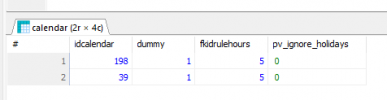
took a look at the db if I could find something different between the two holidays per department and they look the same, but I don't even know if I'm looking at the right tables
1766527637308.png
1766527654735.png
1766527671987.png
 
Have you, just on the off-chance, deleted and added the holiday back again? Given the time you have been trying to solve this, I would assume yes, but, just in case, asking.
 
yeah tried multiple times and tried adding multiple single days as holidays. out of 14 departments (all imported from groups), two, including the default one, don't play the prompt
 
  • Like
Reactions: KyriacosS_3CX
Thanks for confirming, a ticket should be the best way to forward since all the common angles looked covered.
 
solved by 3CX support
from what I understand it was a parameter from the v18 group that was imported during the upgrade
 
We have a similar issue with a few accounts that we know so far. Re-creating the department fixed the issue. 3CX - Can you share what the resolution was? If there is a setting/parameter we can tweak that would be helpful to save us re-creating all our departments!
Thanks
 
We have a powershell script which shows all relevant department parameter and (if you wish) the holiday settings

3cx-powershell-xapi-get-departmentdata.ps1
Code:
$tcxurl = "mypbx.mydomain.de"       # needs port if not 443

$jsonauthbody = (@{
    Username = "100"                # 3CX user, maybe email address
    Password = "Super_Secret0815"   # 3CX user password
    SecurityCode = ""
} | ConvertTo-Json)

$LoginResponse = Invoke-RestMethod -Uri "https://$tcxurl/webclient/api/Login/GetAccessToken" -Body $jsonauthbody -Method POST -ContentType "application/json"

if( $LoginResponse.Status -ne "AuthSuccess" ) {
    Write-Host "abort: authentication not successful"
    exit -1
}

$headers = @{Authorization = "Bearer $($LoginResponse.Token.access_token)"}

$departments = (Invoke-RestMethod -uri "https://$tcxurl/xapi/v1/Groups" -headers $headers -Method GET -ContentType "application/json").value

Foreach( $department in $departments) {
    # $departmentholi = Invoke-RestMethod -uri "https://$tcxurl/xapi/v1/Groups($($department.Id))?`$expand=OfficeHolidays" -headers $headers -Method GET -ContentType "application/json"
    $departmentparam = (Invoke-RestMethod -uri "https://$tcxurl/xapi/v1/DNProperties/Pbx.GetPropertiesByDn(dnNumber='$($department.Number)')" -headers $headers -Method GET -ContentType "application/json").value
    # Write-Host "department '$($department.Name)' data:" $($departmentholi |ConvertTo-Json -depth 20)
    Write-Host "department '$($department.Name)' parameter" $($departmentparam |ConvertTo-Json -depth 20)
}

I'm pretty sure with this you'll find the parameter that differs from the others. ;)
 
Thanks @fxbastler for the script. You're a legend.
I found the broken department was missing a number of "New" limit based parameters but importantly also has the following parameter enabled:

{
"Name": "DISABLE_HOLIDAY_OVERRIDE",
"Description": "",
"Value": "1",
"Id": **
},

That looks like the smoking gun to me.
Now, how would one update this parameter?
 
That looks like the smoking gun to me.
right

Now, how would one update this parameter?
Admin / Advanced / Parameter / search for DEVELOPMENT_DNTABLE_EXPOSE and set it to 1 if there's still a 0 in it, reload the Page, change to Admin / Advanced / Parameter / DN Properties / search the department & search the parameter & change it.
 
Ah, never mind @fxbastler, I answered my own question from another post.
First, go to admin -> Advanced -> Parameters

Then enable DN Properties:

You can check them from the 3CX Console > Settings > Parameters. For DN properties, you will need to set the property DEVELOPMENT_DNTABLE_EXPOSE to 1

Then select the new DN Properties Tab, select any old departments that require the update from the dropdown, then click DISABLE_HOLIDAY_OVERRIDE, change the Value to 0 and save.

Checked logs, works. Reception (110) → On holiday, call forwarded to Voicemail Box.
No manual override set.
 
right


Admin / Advanced / Parameter / search for DEVELOPMENT_DNTABLE_EXPOSE and set it to 1 if there's still a 0 in it, reload the Page, change to Admin / Advanced / Parameter / DN Properties / search the department & search the parameter & change it.
Hahah @fxbastler beat me to it. Thanks again for all the help.
 

Forum statistics

Threads
111,979
Messages
590,101
Members
164,908
Latest member
FarizQasimov