Holiday Script not working as planned, but working.

Michael_Sigmavista

Silver Partner
Advanced Certified
Joined
Oct 31, 2024
Messages
42
Reaction score
5
Hello again,

i testet the holiday script behavior last Friday a lot and recogniced that, as it is set to be fired up by any incomming call on the trunk,
It does not play the holiday records as assigned. it simply does nothing.
The very moment i use it as a forwarding target (for holidays) in a queue it starts working.

It is a little bit sad becouse as far as i know we got told in the v20 Webinars to "just" use it.

And since the manual does not say anything about using it as a forwarding target it was a little inconvenient, becouse i needed the Customer to complain abt. it just to recognice that it is not working.

https://www.3cx.com/docs/holiday-script/

How it Works​

  1. When a call comes in on the assigned SIP trunk, the script is triggered.
  2. The script checks if the current date matches any of the holidays you’ve defined.
  3. If a match is found, the script plays the holiday audio prompt you created in Step 2.
  4. If the day falls on a holiday, the call is routed to the holiday destination.

My Question here is:

am i missing something ?
Does the Script work for anybody else "out of the box" ?
 
The script works exactly as described in the instructions. Every call that arrives on the trunk triggers the script and checks whether a holiday is specified. If so, routing continues as defined under holidays at the destination.
 
  • Like
Reactions: HarryI
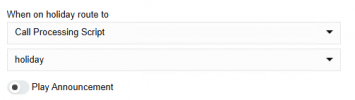
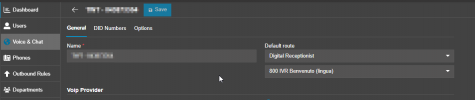
Thanks for your answer, it does not play any wave ... only when set to:

1759140815369.png
if i remove the script as target it does not play any wave file.

I do not have to set it as default route in the SIP Trunk, or do i have to?
 
This is so wrongly configured... The script needs to be installed on the trunk as described in the instructions, and at the point shown in the screenshot, you need to configure what should happen after the announcement is played. You create the announcement where you configure the business hours. Keep in mind that this only applies to the future, so if you set it for today, it won't work.
 
what is the default route of your SIP trunk? afaik if the default route is a CFD the holiday script does not work
 
in addtion in which log would it be possible to trace the holiday script?
 
my default route is the main queue:
1759141273674.png

@bitn2 i have it configured this way - but it is not working - as i said.
1759141464320.png
if every call is triggering the script - why should it work only for dates in the future, and why is it working for the same day (present) when i put it as forwarding target in the queue?
 
Because the system service doesn't recognize the created holiday. One option would be to restart the services or set the day to tomorrow to test it. But the script works just fine this way.
 
ok - i will now wait for my new SIP Trunk for the second NFR - then i can do proper testing.
 
in addtion in which log would it be possible to trace the holiday script?

should be 3CXCallFlow.log

what department are you setting the holiday? default?
is your trunk set to system wide?
Because the system service doesn't recognize the created holiday. One option would be to restart the services or set the day to tomorrow to test it. But the script works just fine this way.
do you mean when adding the holiday.cs file? from my tests when I add a new holiday in office hours (same day) it works without having to restart any service
 
should be 3CXCallFlow.log

what department are you setting the holiday? default?
is your trunk set to system wide?

do you mean when adding the holiday.cs file? from my tests when I add a new holiday in office hours (same day) it works without having to restart any service
Could be possible that this works with the script same day.. never tried it. I remember setting the holiday same day or changing the office hours doesnt work without restarting the sevices.
 
  • Like
Reactions: N_G
do you mean when adding the holiday.cs file? from my tests when I add a new holiday in office hours (same day) it works without having to restart any service
correct
 
Yes @guidoq trunk is set to system wide and default department.

I should have the new Trunk today or tomorrow - i will do extended testing then.
 
what department are you setting the holiday? default?
is your trunk set to system wide?
That doesn't matter.
For holiday.cs, only the destination determined - based on the DID/CID/default route - and its primary department are used to determine the holiday setting.
The department of the SIP trunk and the call script is fundamentally irrelevant.
 
  • Like
Reactions: bitn2 and guidoq
We did Test this in our Lab - as you said - it works.

I will dig a litte into where i know that it is not working.

But those are customer PBX's so - playing around with holidays is ot that easy ...

Will keep you updated.
 
  • Like
Reactions: fxbastler
I actually encountered the same issue on an instance today. All departments were imported from the groups during the upgrade.
I installed the script from the store, set it to play when receiving the call on a trunk (there's only one) , added the holiday (from yesterday to jan 6th) to the default department and triple checked the destination IVR is in the default department.
restarted the services and also rebooted the pbx multiple times, waited after midnight and the IVR was still playing.
If I create a new department, set the holiday, and assign the IVR to that department, the holiday prompt plays correctly.
I'll leave it with the new department as of now, but something is off. If I put the IVR on some of the previously existing departments and add the holiday, it doesn't trigger
 
Last edited:
Show some screenshots.. it works as espected.
 
If I put the IVR on some of the previously existing departments and add the holiday, it doesn't trigger
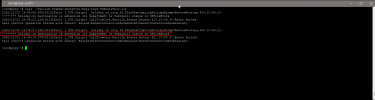
If you want to know what is happening, you can also temporarily add error comments for testing and check the output in the 3CXCallFlow.log. Here's an example with just one line:
C#:
MyCall.Error( $"\n******** holiday.cs destination is extension {defaultDestination.Number} department is {(defaultDestination.GroupMembership.Where( x => x.IsPrimary == true)).First().Group.Name} status is {timeBasedroute.reason.ToString()}");

insert here:
1766495137764.png

3CXCallFlow.log output example:
1766495151446.png


Don't forget to delete the line after the tests.
 
  • Like
Reactions: guidoq
thank you, I'll try that when their offices are closed so I can do more tests.


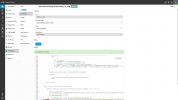
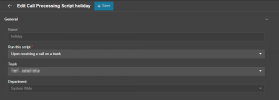
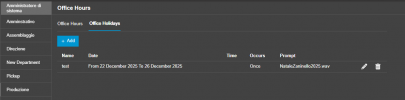
here's the holiday.cs config
1766500154156.png

trunk config, trunk limit is set to system wide
1766500180303.png

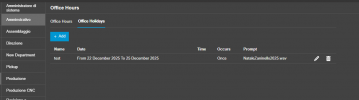
not working department (was a group in v18)
1766500208437.png


working department (was also a group in v18)
1766500272180.png


here's the difference, first department goes directly to the IVR, then being outside office hours (no office hours set in the department) goes to the office closed IVR.
Second deparment which is configured as the first one (no office hours defined, 2 users in each department) works, goes to ROUTER and plays the message
hol.gif

I can't find any difference in the 2 departments that could change the behavior between the 2
 
trunk config, trunk limit is set to system wide
doesn't matter for the script

working department (was also a group in v18)
We never had any issues with that either. We just had to assign the department to the targets (in your case, the IVR) after the upgrade to v20.

I can't interpret your animated GIF. The text is rendered too small and I'm not the youngest anymore. A few single images would be enough for me. ;)
 

Forum statistics

Threads
111,978
Messages
590,100
Members
164,907
Latest member
d.obermeier