Solved how to configure a trunk for Vodafone Italia

Status
Not open for further replies.

msavazzi

Free User
Joined
Jan 18, 2023
Messages
19
Reaction score
0
Team,
sorry to bother but this is driving me crazy.
Using Zoiper I was able to connect to Vodafone Voip:
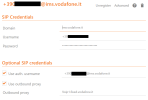
1674080576373.png

and it works fine both in inbound as well as outbound

But I want to connect 3CX to that number not Zoiper but I'm not able to find any way to configure it as a trunk.

Is it possible? how can I do it?

here is the debug log of Zoiper5
REGISTER sip:ims.vodafone.it;transport=UDP SIP/2.0
Via: SIP/2.0/UDP ;branch=z9hG4bK-524287-1---422002d5975d140e;rport
Max-Forwards: 70
Contact: <sip:+390<my number>@<my public ip>:5060;transport=UDP;rinstance=ca7c09da449ecbf0>
To: "+390<my number>"<sip:+390<my number>@ims.vodafone.it;transport=UDP>
From: "+390<my number>"<sip:+390<my number>@ims.vodafone.it;transport=UDP>;tag=9b3f8858
Call-ID: efgPhVe4_CyjOV4tbMB4Ew..
CSeq: 3 REGISTER
Expires: 60
Allow: INVITE, ACK, CANCEL, BYE, NOTIFY, REFER, MESSAGE, OPTIONS, INFO, SUBSCRIBE
Supported: replaces, norefersub, extended-refer, timer, outbound, path, X-cisco-serviceuri
User-Agent: Z 5.5.14 v2.10.18.6
Allow-Events: presence, kpml, talk
Content-Length: 0
 
Last edited:
is not a connection issue :) 1674078616627.png
 
Last edited:
Hi @msavazzi

I would recommend using a supported 3CX provider to avoid having to interop your own trunks. We do that for you :)
I know, I'd love to be able to use it but this the vdsl provider and I cannot change it nor take and additional provider just for voice.
So I need your help to configure the trunk with the info I have, thank you
 
  • Like
Reactions: msavazzi
Thank you!!!!! now I'm able to have the trunk active
:)

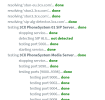
1674148650040.png

but I'm not able to do calls
 
Last edited:
I tried both configurations as Generic Sip Trunk and Generic Sip VoIP in both cases I can receive calls but not call anyone:
1674150357556.png

any suggestion on what I can check?
When I try to dial the other phone does not even ring
 
I've added an outbound rule so that everything goes to the trunk:
1674153284846.png
this said is very funny as if I use the web client and type a number to dial it goes in error immediately and in the log I do see:


INVITE sip:3<dest number>@127.0.0.1:5060 SIP/2.0

that is not working as there is the @127.0.0.1 while I would have expected to have a @ims.vodafone.it
Is this a mistake in the trunk or where?

I can receive the calls and the audio is ok but if I click on the client to call back
1674153487853.png
I get the INVITE @127.0.0.1 error
 
The Activity Log should show the call routing out to the provider, then, if it is going to fail, it would be because the provider does not like something you are sending, but it would show the providers address. It should not be going to the localhost, or loopback IP address. Recheck your outbound rules, and perhaps the trunk datafill.

If you have not yet down so, try setting the Activity Log to the Verbose Level, for more information, and try a call. You may get some additianal information on what is happening.
 
Last edited:
Thank you @leejor ! I've discovered the correct configuration for Italian Vodafone is the Connect 1.1 (UDP) trunk. Now it works fine.
 
Glad you were able to work it out. In most cases, someone else had had the same issue, previously, and posted it in the forums. Its just a matter of searching, so you don't have to "re-invent the wheel"
 
Status
Not open for further replies.

Forum statistics

Threads
111,973
Messages
590,071
Members
164,892
Latest member
Phone1stStop