How to delete phone forwarding rule (exception) settings in bulk

Status
Not open for further replies.

will-xu

Premier Customer
Joined
Aug 2, 2023
Messages
3
Reaction score
0
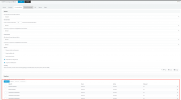
How to delete phone forwarding rule (exception) settings in bulk, via the command line or, other better methods
Reason: We have 1000 extensions, which are subject to external harassing calls, and currently set through the phone's forwarding rules (exceptions)to filter unnecessary numbers;
 

Attachments
  • 微信图片_20240709151712.png
    微信图片_20240709151712.png
    63.2 KB · Views: 6
Last edited:
Exceptions cannot be deleted in bulk as they are part of each extension configuration.
However since you wanted to restrict call why not using the CID rules?
 
How do I use CID for throttling? Is there a detailed SOP?
Is CID Applied to SIP Trunks? If this operation is set incorrectly, will it affect everything?
 
Exceptions cannot be deleted in bulk as they are part of each extension configuration.
However since you wanted to restrict call why not using the CID rules?
Our phones are all DID, and the spam calls are all direct calls to the DID number, is it appropriate to use CID in this case?
 
Spam calls with CID will be applied to the Sip Trunk so this will not allow any of this caller id to reach the extensions.
 
Status
Not open for further replies.

Latest Posts

Forum statistics

Threads
111,952
Messages
589,893
Members
164,843
Latest member
sambannoura