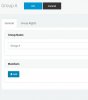
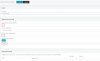
You can do this with below stepsExample:
Group A (100-119) ---> Group B (120 - 129) : Permit
Group A (100-119) ---> Group C (130 - 139) : Deny
How can I configure this rules ?
Thank you
It Worked for me though... For InternalI read today that configuring anything in the outbound rule for this scenario is pointless as it is an internal call and doesnt hit the outbound rule.
you have to go in to each extension and go to "forwarding rules", scroll down to exceptions and say for example:
Calls from call ID 100-109, all hours, end call.
hold control and you'll be able to select multiple extensions.
Founded in 2005, when VoIP was an emerging technology, 3CX has gone on to establish itself as a global leader in business communications.