- Joined
- Jan 16, 2023
- Messages
- 3
- Reaction score
- 2
Hi all, we've updated our self-hosted 3CX instance from v18 to v20 last year. Our SSL certificate have recently expired so I tried to update it using same method in the previous year to no avail.
I would usually log into the server. Copy fqdn.key file and fqdn.pem file to C:\Program Files\3CX Phone System\Bin\nginx\conf\instance1 and rename the respective files to fqdn-crt.pem and fqdn-key.pem to match. Then restart the "3CX PhoneSystem Nginx Server" service.
We're running 3CX on Windows server 2016 and I used instructions from these posts in the past to update the certs:
https://www.3cx.com/docs/renewing-ssl-certificate/
The first link is no longer available, so I wonder if the instructions have changed. I couldn't find anything recent on 3CX forums regarding renewing SSL certificates on Windows. Hoping you guys can point me in the right directions.
I would usually log into the server. Copy fqdn.key file and fqdn.pem file to C:\Program Files\3CX Phone System\Bin\nginx\conf\instance1 and rename the respective files to fqdn-crt.pem and fqdn-key.pem to match. Then restart the "3CX PhoneSystem Nginx Server" service.
We're running 3CX on Windows server 2016 and I used instructions from these posts in the past to update the certs:
https://www.3cx.com/docs/renewing-ssl-certificate/
I need to renew my SSL certificate on my self hosted 3CX server (Windows). I found this article: https://www.3cx.com/docs/self-hosted-instances-ssh/. I am not sure how to create the files domain.org-crt.pem and domain.org-key.pem.
These are my download options in Digicert.
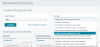
These are my download options in Digicert.
- ajcke
- Replies: 12
- Forum: Phone System / PBX
When installing 3CX v15 you are asked for a location of the SSL to install to your custom FQDN. When I upload my PFX file (which includes my cert, intermediate cert, and private key) it installs the certificate into nginx WITHOUT the intermediate certificate. Because of this, in some browsers it is not trusted. I was able to verify this using SSL Shopper's SSL Checker and it confirms the intermediate is missing. Why is 3CX removing this? It is the EXACT same certificate that I installed in Abyss on v14! Additionally the nginx logs show "ssl_stapling" ignored, issuer certificate not found.
- CBUTLER
- Replies: 1
- Forum: Phone System / PBX
The first link is no longer available, so I wonder if the instructions have changed. I couldn't find anything recent on 3CX forums regarding renewing SSL certificates on Windows. Hoping you guys can point me in the right directions.