Need help with SBC installation

dipesh09

Customer
Joined
Sep 2, 2026
Messages
3
Reaction score
0
Hi,

We are using hosted 3CX and I have one SBC running at our head office and working fine but we also have 2 more locations. I am getting SSL certification error while installing SBC on both remote locations. I am installing it on our windows server (Domain controller). Also, all 3 locations are connected with VPN. I am able to open the 3cx webpage on both remote locations. it is also resolving FQDN. not sure what to do next or how to get that certificate.
 
Is it a custom FQDN or a 3CX FQDN? If custom, check using https://www.ssllabs.com/ssltest/ or similar to see if the certificate is valid, not missing an intermediate cert, etc.
 
Hi, if you're working with a partner, could you ask them to open a support ticket so we can look into this on our end? open
 
Last edited:
Hi @dipesh09 if the pbx is hosted with us, ssl certificates from the pbx side should be ok, this could be more in the machine used for installing the sbc, what OS are you using? if this is a windows machine, please make sure it has all the updates installed.

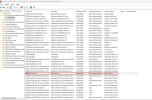
Review the expiration date of the certificate in the pic below

1788366746166.png
 
Hi,
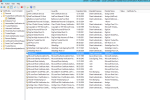
I am using windows server 2012R2 std. I checked the certificate and it has validity till 2035.
1788372798325.png
 
PLease try to use a supported Windows version

  • Windows 10 (Pro, Enterprise)
  • Windows 11 (Pro, Enterprise)
  • Windows Server 2016 (Standard, Datacenter)
  • Windows Server 2019 (Standard, Datacenter)
  • Windows Server 2022 (Standard, Datacenter)
  • Windows Server 2025 (Standard, Datacenter)
 
@dipesh09 An alternative option could be to configure Hyper-V and install a Linux SBC, which would then be portable (or install one with the same IP on another server). But ESU for 2012 ends next month so moving off 2012 is obviously the best idea.
 

Latest Posts

Forum statistics

Threads
111,962
Messages
589,991
Members
164,867
Latest member
swegner