- Joined
- Sep 3, 2024
- Messages
- 1
- Reaction score
- 0
Hello,
I'm facing an issue with restricting user access to certain settings within the web client and softphone, specifically the "Accept multiple calls" option.
Any guidance or advice on this would be greatly appreciated!
Thank you in advance for your help.
Best regards
I'm facing an issue with restricting user access to certain settings within the web client and softphone, specifically the "Accept multiple calls" option.
Problem:
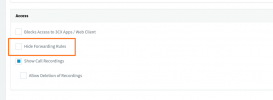
I need to ensure that users cannot change the "Accept multiple calls" setting, but I haven’t been able to find a straightforward way to lock this option. I've explored the following:- User Role Permissions: Attempted to adjust user roles, but couldn’t find a setting to specifically restrict access to the "Accept multiple calls" option.
- Group Rights: Looked into group permissions, but the relevant options don’t seem to exist for this specific setting.
- Extension Settings: I’ve tried to find the "Extensions" section or a related area to adjust this setting directly but couldn’t locate it in the management console.
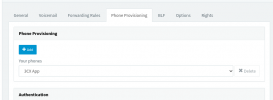
- Provisioning Templates: I explored editing the provisioning templates, but the exact configuration to lock this option isn’t clear, and I'm not sure if it's applicable to my situation.
System Information:
- 3CX Version: 18.0 (Build 31)
Question:
Is there a specific method or setting within 3CX that allows me to lock down the "Accept multiple calls" option so that users cannot modify it?Any guidance or advice on this would be greatly appreciated!
Thank you in advance for your help.
Best regards