How to setup WhatsApp integration

KaterinaK_3CX

Joined
Feb 24, 2016
Messages
246
Reaction score
36
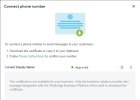
WhatsApp integration enables agents to send a reply to WhatsApp messages directly from 3CX. Read the guide carefully for any known WhatsApp limitations. Use the guide to walk you through the steps required to:
  • Create WhatsApp application
  • Adding a phone number
  • Set up an Admin role
  • Generate a new token
  • Configure in 3CX
  • Configure your webhook
Read the guide.
 
Great! Gonne test this on monday!:)
 
  • Like
Reactions: N_G
Testing...

Configured according to the guide.

Sent message to the business number: it arrives correctly to 3cx
Reply from 3cx to whatsapp chat: the contact does not receive the replay :(
 
@hsanchez go back and double check all the steps and whatsapp/facebook configuration because this is where the issue lies. because of SPAM issues, Whatsapp are understandable careful before they enable it. Also messages have to be replied to within 24 hours. You can not reach out to a contact that has not messaged you first.
 
I have the same issue, is it because we are using the test number they provide? Currently trying to enable with a real number, but no SMS arriving (not a 3cx issue)

Nick
 
Same issue here, 3CX receive whatsapp messages but responses are not reaching the caller.

Traced via tcpdump directly on linux and seems that 3CX doesn't send any packet when we send a response to caller.
 
I do setup everything per instruction. I am able to receive message from customer but 3CX reply message never reach to customer.
 
@Nick Galea
Same issue as everyone above, from WA to 3CX is fine, other way around isn’t.
I have quadruple checked everything.
Also, the test message you can send from within Meta’s portal does arrive, so the number is operational and everything.
But I guess that’s why update 5 is in alpha, so we can test it and work out the kinks!
 
Same issue here, 3CX receive whatsapp messages but responses are not reaching the caller.

Traced via tcpdump directly on linux and seems that 3CX doesn't send any packet when we send a response to caller.
Really glad you’re having this too, spent a long time checking everything again and again but I’m sure all settings are fine.
I configured my real number, the test message you can send from Meta’s portal (to confirm your number is working) also arrives fine.
Only thing I can think of, have you setup billing (credit card) in Meta?
I know the first 1000 conversations are free, but perhaps Meta won’t send a message out unless a credit card has been setup….? I’ll check that myself in a minute as well…

Edit: setting up billing doesn’t help either…. Bu @Gioal also said no data seems to go from 3CX to Meta, so it couldn’t have been the issue I guess… but just covering all the bases….
 
Last edited:
  • Like
Reactions: Nick W and Gioal
Testing...

Configured according to the guide.

Sent message to the business number: it arrives correctly to 3cx
Reply from 3cx to whatsapp chat: the contact does not receive the replay :(
Same issue here.
 
  • Like
Reactions: stefanprasch
Dear all,

Same issue here, maybe the issue is with the WA Business Certificate for the Phone Number.

In my whatsapp certificate I get this message also. Maybe 3CX have to finish with the integration???

Whatsapp Certificate message:
The certificate is not available for your business. Only the business solution provider who manages integration with the WhatsApp Business Platform will be able to download the certificate.

See picture attached.
 

Attachments

  • Whatsapp Certificate.jpg
    Whatsapp Certificate.jpg
    40.1 KB · Views: 47
Dear all,

Same issue here, maybe the issue is with the WA Business Certificate for the Phone Number.

In my whatsapp certificate I get this message also. Maybe 3CX have to finish with the integration???

Whatsapp Certificate message:
The certificate is not available for your business. Only the business solution provider who manages integration with the WhatsApp Business Platform will be able to download the certificate.

See picture attached.

The number does work from the test-page within Meta's portal (it allows you to test the api), so I don't think that's the issue. I takes some time for Meta to confirm and check your phone number. After that, it just works. I think those certificates do not apply to numbers in my country. Perhaps they only apply to US-numbers. Just my two cents, of course.
 
The number does work from the test-page within Meta's portal (it allows you to test the api), so I don't think that's the issue. I takes some time for Meta to confirm and check your phone number. After that, it just works. I think those certificates do not apply to numbers in my country. Perhaps they only apply to US-numbers. Just my two cents, of course.
Hi Noord,

I just checked into my Meta's Developer page. My whatsapp business number is approved. (Marked in green).
The only thinh i see thati am unable to see the certificate and also in 3CX there is no way to configure the WA Business certificate.

So, my number is approved but can not reply on my customers whatsapp message.
Seems that 3CX do not send the message back to Meta.
 
I did it once with my mobile number, I could write in both directions. It worked really fine.
....
But after I took our actual whatsapp business number, I have exactly the same problem that it only works from the customer to us. The whatsapp is "officially" not read and I can no longer answer.

i tripple checked everything.... :/
 
I am having the same problem, I can receive a message but not reply.

I can see that in the Reporting/Chat logs log that replies are marked as SMS outgoing and the incoming whats app message is not even showing up.

Also I can access the chat messages from whatapp on my desktop app but the whats app messages received are not showing up on my phone app

I have doubled checked the setting and they match the instructions but its like you need to be able to tell 3CX the route back is via whatsapp and not a SMS message
 
We are having the same difficulty. Has anyone had success with the configuration?
 
@hsanchez go back and double check all the steps and whatsapp/facebook configuration because this is where the issue lies. because of SPAM issues, Whatsapp are understandable careful before they enable it. Also messages have to be replied to within 24 hours. You can not reach out to a contact that has not messaged you first.
Thank you @nick, I have tripple checked all the settings with the same results. I also see many people reporting the same problem here.

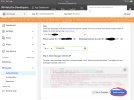
I notice this message in the activity log everytime I save the config of the Whatsapp trunk.

07/31/2022 11:51:44 PM - Lc:10002(@Whatsapp[<sip:@:0/UDP>]) has invalid configuration: primary target is empty
 
  • Like
Reactions: stefanprasch
Thank you @nick, I have tripple checked all the settings with the same results. I also see many people reporting the same problem here.

I notice this message in the activity log everytime I save the config of the Whatsapp trunk.

07/31/2022 11:51:44 PM - Lc:10002(@Whatsapp[<sip:mad::0/UDP>]) has invalid configuration: primary target is empty
Yes, I have the same error.
I thought that might be a little bug since for the WhatsApp-trunk there is no endpoint defined and there is still a check somewhere that writes this line in the log because of it?
Related: does it make sense to have WhatsApp under trunks? I mean, you have that really nice ‘messaging’ category in the settings as well?

Also, I tried installing for a completely different client (other 3cx instance, other Meta Business) - same problem, unfortunately.
 
Hi Noord,

I just checked into my Meta's Developer page. My whatsapp business number is approved. (Marked in green).
The only thinh i see thati am unable to see the certificate and also in 3CX there is no way to configure the WA Business certificate.

So, my number is approved but can not reply on my customers whatsapp message.
Seems that 3CX do not send the message back to Meta.
You can test it here (see picture)
 

Attachments

  • 8F994F62-98D4-41B6-87A6-2AF6C518DDF1.jpeg
    8F994F62-98D4-41B6-87A6-2AF6C518DDF1.jpeg
    1.3 MB · Views: 125
Hi,

I did made the test and it is working in the Meta site.
But can not reply in the 3CX webclient.
 
  • Like
Reactions: branden003

Latest Posts

Forum statistics

Threads
111,880
Messages
589,533
Members
164,735
Latest member
998742