How to upgrade (Google Cloud) from V15.5 to V16

Status
Not open for further replies.

captainu99

Premier Customer
Joined
Jun 24, 2019
Messages
2
Reaction score
0
I have searched the web and the forums yet I couldnt find a clear answer.

What is the proper way to upgrade a linux 3cx from version 15.5 to V16?

Thank You.
 
You should be able to upgrade, by clicking on the update icon within 3cx management console
 
It can be done through the top menu updates > and update the service pack. The system will refresh, dropping the session. After about 5 min you can access the console again that will be updated.
 
Make sure you have backup before doing the update, and copy the file locally just in case
 
I am not sure what I am missing.
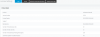
When I click system info. it lists the version as 15.5.0 (See screenshot attached)
When I go to Updates it says "Your System is up to date"
 

Attachments

  • 3cx.PNG
    3cx.PNG
    19.6 KB · Views: 10
  • Like
Reactions: Walter Santos
Hi @captainu99

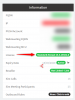
Is your version the same as here on the dashboard?

11131

And do you currently have active maintenance or has it expired?
 
Status
Not open for further replies.

Members Online Now

No members online now.

Forum statistics

Threads
111,843
Messages
589,327
Members
164,679
Latest member
SamadMYK