- Joined
- Nov 6, 2018
- Messages
- 3
- Reaction score
- 0
I have 3CX on Google cloud - and I have to config 5 IP Phone - Panasonic KX-HDV130 -
I found and downloaded the template in the forum (panasonic_ut_v155.ph.xml I hope it is good for my model also), but I don't find how to upload it into 3CX.
Here below the screen shot of my Phones, the button Firmware is disabled.
Is this the function to upload?
Thanks, Ezio
I found and downloaded the template in the forum (panasonic_ut_v155.ph.xml I hope it is good for my model also), but I don't find how to upload it into 3CX.
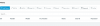
Here below the screen shot of my Phones, the button Firmware is disabled.
Is this the function to upload?
Thanks, Ezio