Solved HTTP ProvisioningUrl /Phonebook Connection fordwardes to HTTPS but with wrong port

Status
Not open for further replies.

elcotrade

Free User
Joined
Nov 19, 2019
Messages
13
Reaction score
0
Hi Guys,
i have a new 3CX On-Premise (newest updates).
I have got the problem that the Yealink telephones cant connect to the phonebook, so i did some tests:

HTTP Port: 5001
HTTPS Port: 443

I tried to open the Urls in Firefox:
Original Url as it got configured through provisioning:
http://mycompanyname.3cx.at:5000/provisioning/56d8uf1tffi6az/yealink_phonebook.xml
- cant get the xml file. It seems like the Nginx server wants to fordward to https and the url in the browser changes.

BUT only http to https gets changed and NOT the port.
So connections to
https://mycompanyname.3cx.at:5000/provisioning/56d8uf1tffi6az/yealink_phonebook.xml
are not possible as it should be
https://mycompanyname.3cx.at/provisioning/56d8uf1tffi6az/yealink_phonebook.xml

Any advice for me?
Thanks!

Greets,
Manuel Wagner
 
Update: I installed on Monday night:
New 18.0 Update 5 Final
New 18.0 Update 5 Hotfix
the next day the guys reported the issue.
 
Goodmorning,

Wich Yealink devices are you running?
 
Hi,

Yealink T48U and W80DM+B with W73H.
 
oh, i am sorry, its my first thread in the forum:
  • 3CX Version, Professional Annual
  • Server OS: 3CX Linux Appliance
  • Is the 3CX Server Hosted and where? On-premise
  • IP Phone Make/Model/Firmware version, Yealink T48U version 108.86.0.72 | W80DM/B version 108.85.0.25
  • Provisioning Method: Local with FQDN
  • Trunk Provider - Generic SIP Trunk
  • Has the Firewall Checker passed: NO - but this is planned, as a don't open all ports on the Internet Firewall
  • Are custom Phone Templates being used: NO
On another On Premise 3CX - same version, same installation, its working in my Browser! But there i use Port 80 and 443. So no port change neccessary in the url.
 
Hi Manuel,

Like I said, ignore the browser, that's not a valid test for your use case so it won't reveal the root cause.

Have you set up a split DNS on your network?
 
Hi,
ok.
Yes, split DNS is configured. When i ping or do a nslookup, i get the local IP Adress. Telephones are also using the same DHCP server as the computers.
 
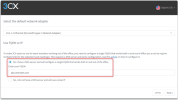
Yes, i am pretty sure that i have picked this option.
 
As a quick test: change the name on one of your extensions, and then go to the "Phones" page and reprovision the Yealink belonging to that extension.

This should show us whether the phones are capable of downloading files from the server as a start.
 
Yes, changing extension names and then reprovisioning through 3CX MGMT Console is working.
 
Ok then the phone is clearly capable of downloading files from the PBX, and that would include the 3CX Phonebook.

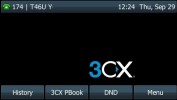
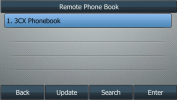
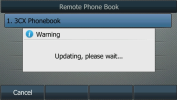
Just to be clear, when you press the "3CX PBook" labelled button on the device, then click "Update", what exactly happens?

1664443479161.png
1664443493140.png
1664443506425.png
 
Hi,
i think i have to apologize - it was my fault. But i didn't recognized the cause immediatly, as i did the tests on the main site where the 3CX is located. This company has one mit site via Site2Site VPN.
The problem is that on this site there is a local subnet which is not compliant with RFC1918.

So during installation i found out that i have to edit the /var/lib/3cxpbx/Bin/nginx/conf/nginx.conf File to allow Provisioning. (+ in the MGMT GUI the Paramter LOCALSUBNETS).
geo $is_remote {
default 1;
192.168.0.0/16 0;
172.16.0.0/12 0;
10.0.0.0/8 0;
172.0.16.0/16 0;
127.0.0.1 0;
::0/0 0;
}

And with the Update the edit nginx.conf got replaced and reseted.
Sorry that i took your time, but thank you very much for the fast answers.
 
Glad to hear you figured it out! Be careful, 3CX requires RFC1918 compliant networks for other things too, not just provisioning.

If you are using a non compliant network you might have further issues in the future.
 
Status
Not open for further replies.

Members Online Now

No members online now.

Forum statistics

Threads
111,831
Messages
589,277
Members
164,660
Latest member
RJenkinsROCK