- Joined
- Nov 19, 2019
- Messages
- 13
- Reaction score
- 0
Hi Guys,
i have a new 3CX On-Premise (newest updates).
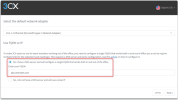
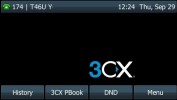
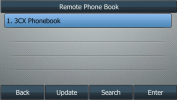
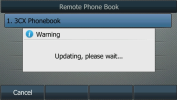
I have got the problem that the Yealink telephones cant connect to the phonebook, so i did some tests:
HTTP Port: 5001
HTTPS Port: 443
I tried to open the Urls in Firefox:
Original Url as it got configured through provisioning:
http://mycompanyname.3cx.at:5000/provisioning/56d8uf1tffi6az/yealink_phonebook.xml
- cant get the xml file. It seems like the Nginx server wants to fordward to https and the url in the browser changes.
BUT only http to https gets changed and NOT the port.
So connections to
https://mycompanyname.3cx.at:5000/provisioning/56d8uf1tffi6az/yealink_phonebook.xml
are not possible as it should be
https://mycompanyname.3cx.at/provisioning/56d8uf1tffi6az/yealink_phonebook.xml
Any advice for me?
Thanks!
Greets,
Manuel Wagner
i have a new 3CX On-Premise (newest updates).
I have got the problem that the Yealink telephones cant connect to the phonebook, so i did some tests:
HTTP Port: 5001
HTTPS Port: 443
I tried to open the Urls in Firefox:
Original Url as it got configured through provisioning:
http://mycompanyname.3cx.at:5000/provisioning/56d8uf1tffi6az/yealink_phonebook.xml
- cant get the xml file. It seems like the Nginx server wants to fordward to https and the url in the browser changes.
BUT only http to https gets changed and NOT the port.
So connections to
https://mycompanyname.3cx.at:5000/provisioning/56d8uf1tffi6az/yealink_phonebook.xml
are not possible as it should be
https://mycompanyname.3cx.at/provisioning/56d8uf1tffi6az/yealink_phonebook.xml
Any advice for me?
Thanks!
Greets,
Manuel Wagner