Huge problem with some inbound calls. No voice from Caller. Firewall Check is fine -> plz help

Status
Not open for further replies.

the.neon

Free User
Joined
Sep 22, 2012
Messages
14
Reaction score
0
Hello ,

we have a very strange problem , some inbound calls are the voice of the caller are dropped.
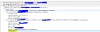
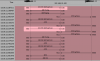
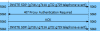
I have created an VOIP Trace and it looks 3cx send an second invite ? Why ?.

Tried also the settings with PBX is transporting Audio

Latest 3CX (16.0.3) . Fritzbox as Router ( all needed Ports are open)

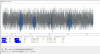
See at the screenshot

 

Attachments

  • error_2.PNG
    error_2.PNG
    50.8 KB · Views: 14
  • error_3.PNG
    error_3.PNG
    26.1 KB · Views: 15
  • error_4.PNG
    error_4.PNG
    421.8 KB · Views: 13
How many are some calls in %? 10% 1% 50%?

can you duplicate the issue with a cell phone and then your own outbound trunk?

if you can not duplicate the problem with your own trunk, try removing all but the g711a codec, but that's just a shot in the dark.

best of luck.
 
Some means : sometime 10 ( 10-20%) time per day.
When I call with my cell to the sip trunks it works fine. Did some get any insides of the trace ?

Regards
 
Some means : sometime 10 ( 10-20%) time per day.
When I call with my cell to the sip trunks it works fine. Did some get any insides of the trace ?

Regards

When I have an intermittent problem I will make 100's of calls to rule anything I can out.

if 100% of the time my own cell and outgoing trunk have no problems calling in, this is a misconfigured trunk endpoint, firewall or codec problem.
 
Ok thx I will test. Any other thoughts ?
 
If you turn on call recording and listen to a problem call, can you hear the caller in the recording?

you need to identify if its provider > 3CX or 3CX > phone it will help you narrow down.

your wireshark shows 4 payloads - did you listen to the call in wireshark?

If you have lost audio from provider to 3CX then you should ask your provider.
 
Hi,

Does your trunk options tab have "Re-invite and Replaces" enabled?
 
Hi ,

no it is not enabled. Should it ?
 
No, do not enable those options, I was just checking to ensure they are disabled because you said you saw a second invite.

Can you clarify which IP is which on the screenshot?
 
192.168.10.100 => 3cx
*.11 => SIP Server of the trunk
*.13 => Media Server of the trunk


In the first screenshot there is a second invite
 
Ok, because originally you said 3CX is sending the second invite but actually it's the provider that sends it no?

13317
 
sorry my fault you are right. I can also share the capture as "private" upload
 
Upload it somewhere and send me the link in a private message, I want to take a quick look at the 2nd SDP
 
Everything looks good, the provider sends you audio just fine.

The only problem is that the audio stream coming in was silent.

The reason it was silent can possibly be answered by the provider. Some examples:

  • The other side sent silent audio to your provider
  • The other side did not send any audio to the provider, and the provider is just sending comfort noise
  • The provider transcoder or media server maybe failed on this call

I think the provider needs to investigate this call and see what the other side was sending to them.
 
Thx I will check it with the provider
 
In a lot of cases a second INVITE message is always sent due to authentication purposes.
13329

An initial INVITE is sent, then a request for proxy authentication is sent to check that the call initiator is a genuine party.

This then starts the rest of the normal call flow, this is not happening in your case and the INVITE is being sent after the TRYING, RINGING and 200 OK message which I have not seen before.

Agreed, I would check with your provider. If they support the ability for you to login and run a trace from their platform this would be even better as you can capture their leg of the call yourself.
 
Status
Not open for further replies.

Latest Posts

Forum statistics

Threads
111,934
Messages
589,821
Members
164,813
Latest member
divdigital