- Joined
- Mar 25, 2021
- Messages
- 3
- Reaction score
- 0
Hello!
I hope you are doing well!
I am using the 3CX live chat plugin for my website in WordPress.
I made an account on 3CX yesterday and I want to use the 3CX chat server to communicate with my clients instead of WordPress.
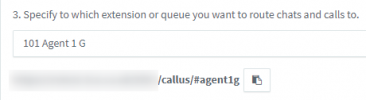
If I choose in WordPress the 3CX chat server, I need to add the "3CX Click2Talk URL".
This message appearing below: (Obtain this from the Messaging > Add Live Chat in the 3CX Management Console).
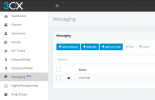
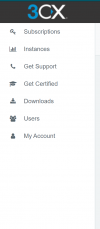
My problem is I can't find Messaging.
I would appreciate it if you can help me.
I hope you are doing well!
I am using the 3CX live chat plugin for my website in WordPress.
I made an account on 3CX yesterday and I want to use the 3CX chat server to communicate with my clients instead of WordPress.
If I choose in WordPress the 3CX chat server, I need to add the "3CX Click2Talk URL".
This message appearing below: (Obtain this from the Messaging > Add Live Chat in the 3CX Management Console).
My problem is I can't find Messaging.
I would appreciate it if you can help me.