Inbound routing and sip trunks!

Status
Not open for further replies.

itglaafs

Customer
Joined
Jun 14, 2017
Messages
54
Reaction score
2
Hi Guys,

I am trying to figure out how to separate inbound route DID number from the rest of SIP trunk assigned DIDs because I want that call to this specific number goes to a different queue, digital receptionist or voicemail. Anyways, I have one sip trunk with three DIDs assigned to it. How to route each DID to a different queues using inbound routes regardless of sip trunk "Route call to" setup?

Thank you very much.
 
I have checked the logs, the calls are always going to SIP trunk, no matter what I do with the inbound routes. If I disable "route calls to" in Sip trunks and set it to "End call", then the calls are dropping out.

The sip trunk has three DIDs and they are all setup in inbound routes to a different routing options. But everytime I call one of these DIDs, the calls are coming in Sip Trunks routing not the Inbound routes.
 
What number is being presented to 3CX, check the activity log - it maybe your main number and not the DDI number

Also speak to your sip provider, to find out if there are passing the DDI number to 3CX
 
Yes, you are correct, I have captured stream and DIDs are not being called, it is always a main number. So, whenever any of these three DIDs are called, you are actually calling main number not them. How can I bypass this if the provider says that they can't do no changes?
 
  • Like
Reactions: JohnS_3CX
Hi @itglaafs

If the provider does not send the DID in any of the fields of the invite (does not appear anywhere at all) then your PBX has no way of knowing that the call was meant for another DID.

Imagine if everyone who called you on your mobile, the phone company always shows the same number on your screen. You have no way of knowing who is calling you.

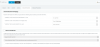
Same thing here, you cannot bypass this problem because it's not your fault and not under your control. The only way is to either find a better provider, or have the provider send the call with the ID somewhere in the message. If they can arrange to send it to you in any of the below fields, then 3CX can read it from the inbound parameters:
1582039697791.png
 
I ran into this problem with Voip.ms. What I did on Voip.ms was to create two different sub accounts. The DID's were split between those sub accounts. DID #1 went to one, while DID#2 went to the other. On your sip trunks, do a generic sip trunk, one for each sub account on Voip.ms. Then set up your inbound routes accordingly.
 
We have over 30 DID's with VoIP.ms, same account, and all work correctly with 3CX.
 
  • Like
Reactions: JohnS_3CX
We have over 30 DID's with VoIP.ms, same account, and all work correctly with 3CX.
Awesome. I'm fairly new to 3CX, so I'm always ready to learn something new. What I described above is how I was able to get two different locations to work with the inbound calls. If you have a better way to do this, please share.
 
We have an in-bound rule for each VoIP.ms DID and 3CX routes the call. These are the in-bound options that we have set at the SIP trunk level.

1582147406700.png
 
If your sip operator doesn't show wich DID is calling and if you cant change sip operator, you can maybe ask him 3 differents trunk with one DID different DID on each of theses trunk even if its a very strange way of doing.
We use a similar thing but not for separate DID, only to use unlimited sip trunk for outgoing calls and use a less extensive one with DIDs of the client (and provider allow us to show another DID and not only the one attached to the trunk).
 
Status
Not open for further replies.

Forum statistics

Threads
111,938
Messages
589,839
Members
164,821
Latest member
M_R