


- Joined
- Apr 7, 2020
- Messages
- 2
- Reaction score
- 1
The Community Radio station I help out with has six inbound trunks. (xx) xxxx 2777 has three single call trunks (503, 504, 505). (xx) xxxx 2888 has another three single call trunks (500, 501, 502). We are trying to have any call on (xx) xxxx 2777 go to call group x611, and any call on (xx) xxxx 2888 go to a call group on x612. What we are seeing is that we can only have a single call on (xx) xxxx 2777 and a single call on (xx) xxxx 2888 active at a time.
This used to work on the old analog phone system with an ATA to make it VOIP, but is now not working
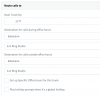
I have configured each of the six trunks to route to x611 or 612 as appropriate under the SIP Trunks menu. I initially set the Main Trunk Number to something unique, but have since changed that to (xx) xxxx 2777/2888 as appropriate.
I have also tried creating two inbound rules, one for each trunk, but that hasn't worked either.
I am not sure what to try next. Any help would be appreciated. Thanks.


This used to work on the old analog phone system with an ATA to make it VOIP, but is now not working
I have configured each of the six trunks to route to x611 or 612 as appropriate under the SIP Trunks menu. I initially set the Main Trunk Number to something unique, but have since changed that to (xx) xxxx 2777/2888 as appropriate.
I have also tried creating two inbound rules, one for each trunk, but that hasn't worked either.
I am not sure what to try next. Any help would be appreciated. Thanks.


