- Joined
- Oct 6, 2015
- Messages
- 2
- Reaction score
- 1
New here and trying to install V14 on:
Dell power edge 2850 dual xeon 3.2ghz
Server 2008 R2 x64
16gb ram
using IIS
Had all installed and working before I realized the FQDN I used I needed for elsewhere and figuring the easiest way to change was to uninstall and reinstall 3cx .... wrong!
After reinstalling I now get an error when opening the services tab:
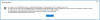
"An exception occurred RestartServices Error:System.net.webexception: The request failed with HTTP status 404: Not Found
at system.web.services.protocols.soaphttpcleintprotocol.readresponse(soapcleintmessage message, webresponse response, stream responsestream, bolean asynccall)" .... too long see picture
After searching I thought soap had to do with .Net so I reinstalled that as well but still have errors, I have tried reinstalling 3 times going through and deleting 3cx references in the reg but still no luck.
Anyone have some guidance?
Robert
Dell power edge 2850 dual xeon 3.2ghz
Server 2008 R2 x64
16gb ram
using IIS
Had all installed and working before I realized the FQDN I used I needed for elsewhere and figuring the easiest way to change was to uninstall and reinstall 3cx .... wrong!
After reinstalling I now get an error when opening the services tab:
"An exception occurred RestartServices Error:System.net.webexception: The request failed with HTTP status 404: Not Found
at system.web.services.protocols.soaphttpcleintprotocol.readresponse(soapcleintmessage message, webresponse response, stream responsestream, bolean asynccall)" .... too long see picture
After searching I thought soap had to do with .Net so I reinstalled that as well but still have errors, I have tried reinstalling 3 times going through and deleting 3cx references in the reg but still no luck.
Anyone have some guidance?
Robert