Installing 3CX on Linux using 3CX Debian ISO

Status
Not open for further replies.

Oday Sewi

Bronze Partner
Joined
Feb 26, 2024
Messages
2
Reaction score
0
I recently installed the 3x server on a Linux ?Debian 12 system. After completing the installation an issue when attempting to access the web client .A red bar appears with the following message :

3CX Version 20 requires a secure connection to use the Web Client. You are not using an FQDN or HTTPS to connect to 3CX.

Could you please provide guidance on how to rectify this issue and ensure a secure connection with the web client
 
Easy solution, access by the FQDN, and be sure that you use https:// and not by the IP address
 
I too am having the issue as stated in the original post. However the FQDN is not allowing me to access the system.

I have a self hosted (on premises) NUC that is running 3CX V20/Debian. I've got a residential fiber connection (my IP can and will change). I've always just used the local 192.168.0.XXX ip to access the 3CX instance running on my NUC from a windows machine & a chrome web browser. Now with uprade to V20 that doesn't seem to be an option (red banner saying to use the FQDN). The phones are working fine after the upgrade. I just cannot get a web page to load so that can try the new system owner log in.

I suspect that my router is blocking some sort of loop back to itself, or some other sort of security measure... but I'm not super smart on networks. I'm OK with hardware, can crimp connectors and run wire with the best of them... and can follow software tutorials, but I'm not super smart on networking and routers. Of course I can do everything I normally do via web browser... like access Gmail, youtube, and use the local IP to get into other devices...

Router is a Deco X55 (TP link mesh system).

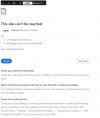
FQDN error chrome.jpg
 
Sip trunk works fine. Recieve calls at our sip phone number without an issue
 
Last edited:
I currently use my ISP (default) for DNS. I take it I'll have to make my own DNS server (probably on a raspi), and add an entry so that the FQDN resolves to the static ip of my 3CX server, then have my Deco X55 router use the Raspi's Static IP as its DNS server??
 
then have my Deco X55 router use the Raspi's Static IP
Not, the router doesn't need to, only client devices need to.

It's likely easiest to tell your DHCP server to use the Pi as DNS when it hands out leases.
 
Thanks you are correct!

Here's how I fixed this:

I wiped and built up a Raspi, and installed DNSmasq and DNSutil (https://phoenixnap.com/kb/raspberry-pi-dns-server) I gave it a hard line gigabit connection on my nework, disabled its wifi, I listed the Fqdn and the ip of my NUC running 3cx. I confirmed it would pull DNS with a Dig check. I made an IP reservation for IT on my router so its IP would be 'static' and the DHCP server wouldn't lease that IP out to anyone else.

After I got the Pi running as a DNS server: My router wouldn't let me change its DNS (wisely) to a 192.169.XX.XX ip..., It told me to change it for the DHCP server: (so you, SweetAction, are correct). I added the Pi as the DHCP server's primary DNS it hands out to clients when it issues IP's.

I made sure clients could resolve names with the new DNS server by surfing a few places. Then when I tried the FQDN I got this new error (which not being a network pro... I'd call a firewall / port traffic denial error)

new error.jpg
I did a Dig on the Raspi for the FQDN and could see that it had a 0 second quiry time and the IP matched my IP... so the new internal DNS is resolving this for its clients.

So realizing the port was blocked: I then went to my router and opened up the 3CX instance's IP port 5001...

And it worked! I couldn't remember my password... but I used the link to reset it and I'm in!

:)


Thanks for your help.. and I hope this helps someone else who's not a network pro but can do some of their own stuff.
 
Last edited:
  • Like
Reactions: SteveITS
Status
Not open for further replies.

Members Online Now

Forum statistics

Threads
111,835
Messages
589,288
Members
164,665
Latest member
dominik.pepel