iOS 15-ready 3CX App BETA

Status
Not open for further replies.

Vali_3CX

Staff member
Joined
Dec 12, 2008
Messages
2,930
Reaction score
1,158
An updated 3CX app for iOS, fully compatible with the upcoming iOS 15 is now available for testing. Using the latest SDKs and libraries, this robust and up-to-date application offers increased reliability and responsiveness. Try out the Beta version, for new features including the ability to share data from other applications, and added support for...
Continue reading the Original Blog Post.
 
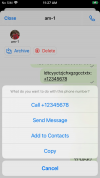
I have already installed it and started testing it. URL and Mail links are recognized well. phone numbers are recognized only in the format tel:/ / +7xxxxxxxx. if you send it in the format +7XXXXXX - they are not recognized - we are very sorry! The share mode works.
 
  • Like
Reactions: Evolute IT
I go to the device Contacts, select a contact, click share, select 3CX. I enter a description and send it. The description text comes, but the contact does not.
 
Why are CRM contacts no longer listed in "ALL contacts"?

This is annoying AF on the Webclient, and even more on the mobile app.

ALL means ALL!! Not "all but CRM". On desktop we can use the CRM itself, on mobile we can't.
 
@paurus
Tel is not involved in the "Share to" feat - compare with AppStore version. Can you provide me a screenshot, maybe I'm wrong.
For Share device contact we didn't add support yet for this beta.
 
  • Like
Reactions: Evolute IT
@paurus
Tel is not involved in the "Share to" feat - compare with AppStore version. Can you provide me a screenshot, maybe I'm wrong.
yes, you're right. in the version from the appstore, the tel:// format is also recognized and that is only for calling via a sim card. I just haven't checked it for a long time. I really want to click on the phone number received in the chat and get a call through 3CX
 
As an additional note regarding "Share To", we didn't add support for sharing a device contact and for "Options" in Share To menu in Safari (it's "raw data" there as zip, pdf, webm). These still need investigation before implementing it.
 
  • Like
Reactions: jed and Evolute IT
the tel:// format is also recognized and that is only for calling via a sim card. I really want to click on the phone number received in the chat and get a call through 3CX
For tel protocol, it's not like this. Since on your device you can have installed more apps able to handle the tel protocol (Phone, WhatsApp, Facetime, Telegram, 3CX and so on), in order to decide which you want to use, iOS allows you to long press the number and it will show you a menu containing all these apps so you can chose. This is due to CallKit integration, app has no particular saying on this. The same is in device's Contacts, where on a contact detail you have to long press the Call button. You can easily try with Notes app, write a number, press Done, it will become underlined and you can long-press it.

P.S As a note, showing this menu is optional for apps themselves, because they may decide their own handling of a detected phone number.

My old post about this when we implemented it:
https://www.3cx.com/community/threads/ios-tel-protocol.53034/#post-217257
 
  • Like
Reactions: Evolute IT
For tel protocol, it's not like this. Since on your device you can have installed more apps able to handle the tel protocol (Phone, WhatsApp, Facetime, Telegram, 3CX and so on), in order to decide which you want to use, iOS allows you to long press the number and it will show you a menu containing all these apps so you can chose. This is due to CallKit integration, app has no particular saying on this. The same is in device's Contacts, where on a contact detail you have to long press the Call button. You can easily try with Notes app, write a number, press Done, it will become underlined and you can long-press it.

P.S As a note, showing this menu is optional for apps themselves, because they may decide their own handling of a detected phone number.

My old post about this when we implemented it:
https://www.3cx.com/community/threads/ios-tel-protocol.53034/#post-217257
probably google Translate does not translate our messages very correctly. ;)
if I click on a number in the format +7XXXXXXXX in some application for a long time, a list of programs will appear through which I can make a call to this number. Among them there is also 3CX.
if someone in the 3CX chat writes me a phone number in the format +7XXXXXX and I enter the chat through the 3CX app for iOS , then no matter how much I try to click on it, nothing happens. :(
if I open the same chat in the web client using safari in iOS , I can click and call this number.
 
You're talking about numbers in 3CX chat view? Then, those has nothing to do with "Share To" or tel:// protocol - It's a different thing, and it's already in our todo list.
 
  • Like
Reactions: paurus
Yes, I'm talking about the numbers in the chat. But if the one who writes in the chat add the prefix tel:/ / before the numbers, then I can click and call through the sim card.
 
If you specify it as "tel://" it becomes a (custom) URL, for which 3CX client chat has support (pass it to iOS and this then invokes native Phone app) but if you don't, there's is a phone number which, as I said, is not handled yet and it's on our ToDo list. We'll announce it when it will be done.
 
Status
Not open for further replies.

Forum statistics

Threads
111,993
Messages
590,175
Members
164,931
Latest member
admintest