Is the YeaStar TA100 (Analogue Adapter) Compatibile with 3CX?

Status
Not open for further replies.

Alan Figgins

Free User
Joined
Jan 27, 2019
Messages
56
Reaction score
3
Hi All,

Does anyone know whether the YeaStar TA100 Analogue Adapater will work with 3CX?

https://www.yeastar.com/analog-telephone-adapter/

We have a situation where we want a (3CX) extension in an office which has an old analogue phone line to it, but nothing else.

We figured we might be able to use the TA100 with an old analogue phone handset as a solution.

Will that work with 3CX?

Thanks,

Alan.
 
It's SIP compliant, I don't see any reason why it wouldn't work. You'd have to create the new extension in 3CX, then use the settings provided to manually configure. If the ATA is to be used on the same LAN, then it should be pretty straight forward, if you are familiar with SIP devices.
 
Hi Guys,

Presumably I will have to choose a phone from:

Management Console - Phones - Add Phone

Does it matter which phone I choose, since I will be manually configuring?

Thanks,

Alan.
 
You won't be using any configuration file generated. Pick something simple and don't bother adding any extra options.You just simply need the basic information generated, for the new extension.
 
Hi Guys,

I used YeaLink T21 E2, but I am still failing to get this to work.

The phone is trying to register, but is getting this error (from the 3CX server logs):

Credentials don't match, check that authorization-ID and password match the ones in extension settings

I have checked and double checked the username / passwords, including copy / paste, and it just doesn't seem to like it.

As a test, I have also set the username and extension to be the same (222) in both 3CX and the TA100 adapter, but even that does not work.

Can anyone suggest where I should go from here?

Thanks,

Alan.
 
Careful with cut and paste. Sometimes a space gets in there and while not visible, will make the password invalid.
Is the ATA on the same network as the server? Are you using the Authorization ID?
 
Hi Leejor,

Yes - After the first couple of failures, I figured that it might be spaces or 'control characters' or something, so next try I was very careful with the copy / paste (including testing it via Notepad), and there were definitely no extraneous spaces.

I also counted the characters that came in to the password field after pasting, and that was also correct.

For what its worth, I also entered the password manually, being extremely careful, and it still fails to authenticate.

Both the TA100 and the 3CX server are on the same network (subnet) being 192.168.1.0/24.

The server is at 192.168.1.5 and the TA100 is at 192.168.1.101.

There is no issue with them communicating, as evidenced by the error:

Credentials don't match, check that authorization-ID and password match the ones in extension settings

I have tried with the Authorization ID that was system generated when the extension was provisioned, and also by changing the Authorization ID to equal the extension number, just in case the web interface for the TA100 uses 'confusing' nomenclature for the Username and / or Authorization ID, but still no luck.


I have also tried creating a completely new, 100% guaranteed never before used extension, and connecting the TA100 to that, but it still fails with the credentials error.


Could it be my choice of 'YeaLink T21 E2' perhaps? Is there a 'simpler' option that I should choose to get it to work? I looked for, but could not find a 'Generic VOIP Handset' in the list.


Thanks,

Alan.
 
The phone set under provisioning isn’t required and meaningless for this regards. This is only used for 3CX to be able to generate a configuration file for the phone.

Some devices (I have seen with cisco) have an authorization field and then a yes/no to use that field. Perhaps the yeastar also has this.

You should just need to put sip server, extension number, authentication id and password for it to register with 3CX.

If else fails send a screen shot of the options screen so we can see what it’s asking.
 
Hi,

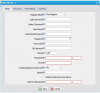
This is a screenshot of the setup screen for the TA100.

10896

This is what I have tried:

Caller ID Name = ZZ_Test
Caller ID Number = 222
User Name = 222
Authentication Name = 222
Password = ABC1234567
From User = {Blank}
DID Number = 222 (Also tried leaving this blank)
Transport = UDP (Other extensions are UDP only and work fine)
Hostname / IP = 192.168.1.5 : 5060
Domain = 192.168.1.5
Authenticating Incoming Call = No
Realm = {Blank}
Enable Outbound Proxy Server = 192.168.1.5:5060 (Also tried turning this off)
Failover Hostname / IP = {Blank} - There is no secondary server

For both the the domain and realm, I have tried:
192.168.1.5 (IP of 3CX server)
3CX Server's hostname registered in DNS
FQDN (as per 3CX Dashboard)
'3CXPhoneSystem' (without the quotes)
{Blank} - Leaving the field empty

In 3CX, both the extension number and the Authentication - ID = '222' (without the quotes).
In 3CX, the Authentication - Password = 'ABC1234567' (without the quotes)


Thanks,

Alan.
 
Hi All,

I am feeling the fool!

The YeaStar TA100 is an FXS device, not an FXO device:

https://www.3cx.com/pbx/fxs-fxo/

I wasn't paying attention until talking about it (and the screenshot above!)

Please accept my apologies for wasting your time, and my thanks for your help.

At least I won't ever make this mistake again... not when there are a whole load of new mistakes to try out :)

Is there a way to mark this as 'solved' or 'closed'?

Thanks,

Alan.
 
When you first posted, and mentioned using an "old analogue phone line" , in a room, I assumed it was an FXS (ATA) as the phone was currently being use with another PBX, that was being replaced by 3CX.
 
Hi Leejor,

Agree - my original post was not at all clear.

Apologies.

Alan.
 
Status
Not open for further replies.

Forum statistics

Threads
111,926
Messages
589,764
Members
164,799
Latest member
RicoDinero