Solved Issue installing v18 on up to date xcp vhost

Status
Not open for further replies.

trinsictech

Customer
Joined
Dec 29, 2021
Messages
9
Reaction score
1
I am trying to install v18 for a client to test. We have done this for multiple clients over the last year and just ran into an issue on multiple attempts to install on multiple vhosts and multiple natted public and private IP's using 1.1.1.1 and 8.8.8.8 as name servers.
After installation, I get the prompt to choose to install 3cx or an SBC.
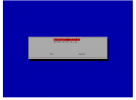
xcp 18 install.png

I choose 3cx v18 and it does its thing then restarts and goes to a normal Debian login prompt instead of the 3cx logo and welcome screen.

3cx login.PNG
I found this post and did what was stated but clearly, that wasn't the issue. Below is the output of the apt-get install 3cxpbx command

Code:
root@gtx-3cx:~# apt-get install 3cxpbx
Reading package lists... Done
Building dependency tree
Reading state information... Done
Some packages could not be installed. This may mean that you have
requested an impossible situation or if you are using the unstable
distribution that some required packages have not yet been created
or been moved out of Incoming.
The following information may help to resolve the situation:

The following packages have unmet dependencies:
 3cxpbx : Depends: dnsutils but it is not installable
          Depends: tcpdump but it is not going to be installed
          Depends: postgresql (>= 11) but it is not going to be installed
E: Unable to correct problems, you have held broken packages.
root@gtx-3cx:~# sudo apt-get -y install dnsutils
-bash: sudo: command not found
root@gtx-3cx:~# apt-get -y install dnsutils
Reading package lists... Done
Building dependency tree
Reading state information... Done
Package dnsutils is not available, but is referred to by another package.
This may mean that the package is missing, has been obsoleted, or
is only available from another source

E: Package 'dnsutils' has no installation candidate

I cannot install the dependencies and thus cannot actually install 3cx with the most current ISO. Can someone please help.
 
I know you mentioned vhosts but is this a physical one perhaps?

Could you try the following:

1. If physical, reformat with the removable, make it bootable with the latest 3CX ISO and try again.
2. Once the OS is loaded I'd recommend unmounting the ISO or disconnecting the removable drive that holds it before proceeding.
3. In step 4 of our guide, it is mentioned to use a static ip. Try not to do this during installation and let the host get the network settings from the dhcp instead. If everything is completed successfully you can set a static ip from the OS's interfaces configuration file, then go into the 3CX MC and apply the new local ip.
4. Also, check if you have things like "Secure Boot" enabled in the bios and disable it.

EDIT: Also, could you perhaps ssh to the machine and run an ifconfig, do you see an IPv6 there? If yes, this may be related to IPV6 routing issues, in which case, I would recommend disabling IPv6 completely and then trying again.

Let me know what happens once you've tried the above.
 
Last edited by a moderator:
1. this is a VM on XCP-NG latest version.
2. I do unmount the ISO when the initial install is completed, the 3cx choose version selector pops up and i choose 3cx but then it doesn't actually install.
3. There is no DHCP enabled on this scope it is static only and I have the same setup working for several other 3cx installs on the same /29
4. secure boot is disabled and it is set to bios boot. the 3cx iso doesn't seem to boot via UEFI.

disabling ipv6 in Debian didn't change anything. It still won't install any of the dependencies or auto-install 3cx after reboot.
 
sorry when I say the same /29. I mean the same broken-up blocks of /29. each server gets its own /29
 
FYI i enabled dhcp and am getting the same error after attempting a full reinstall.
 
Try changing the network card under advanced - you have two options Realtek RTL8139 or Intel e100

When it fails, do you get a ip addresss when you ping www.bbc.co.uk, www.3cx.com
 
Tried the e1000 nic. no change. yes, I can ping anything on the internet that allows it. I have verified our networking is correct 3-4 times already.
pings.png
The issue I am seeing is the repo in the iso are not working to install those few dependencies.

the repo thats in /etc/apt/sources.list.d is

Code:
root@gtx-3cx:~# cat /etc/apt/sources.list.d/3cxpbx.list
deb http://downloads-global.3cx.com/downloads/debian buster main

i can apt search for dnsutils but then it wont install.

Code:
root@gtx-3cx:~# apt search dnsutils
Sorting... Done
Full Text Search... Done
bind9-host/oldstable,oldstable 1:9.11.5.P4+dfsg-5.1+deb10u7 amd64
  (none)

dnsutils/oldstable,oldstable 1:9.11.5.P4+dfsg-5.1+deb10u7 amd64
  (none)

forensics-extra/oldstable 2.8 all
  Forensics Environment - extra console components (metapackage)

knot-dnsutils/oldstable 2.7.6-2 amd64
  Clients provided with Knot DNS (kdig, knslookup, knsupdate)

ldnsutils/oldstable 1.7.0-4 amd64
  ldns library for DNS programming

libproxychains3/oldstable 3.1-8.1 amd64
  proxy chains -- shared library (runtime)

root@gtx-3cx:~# apt-get install dnsutils
Reading package lists... Done
Building dependency tree
Reading state information... Done
Package dnsutils is not available, but is referred to by another package.
This may mean that the package is missing, has been obsoleted, or
is only available from another source

E: Package 'dnsutils' has no installation candidate
 
Glad that it worked for your @trinsictech, will look into it. If you need anything else, feel free to open a new thread!
 
Status
Not open for further replies.

Forum statistics

Threads
111,974
Messages
590,081
Members
164,899
Latest member
mazet