Solved Issues Dialing Out

Status
Not open for further replies.

BillyEGG

Customer
Joined
Jul 29, 2021
Messages
27
Reaction score
6
Hi there Folks

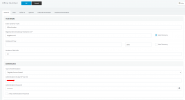
I'm having a strange issue with my Self hosted 3cx installation. I currently use Sipgate for my trunks and they have registered perfectly fine and I can receive calls no bother, It is when I go to dial out I keep getting a 401 forbidden error. The firewall checker reports no issues and I can Ping between the two easily. as you can see below I believe my Outbound rule is setup correctly.

This randomly happened after adding an additional trunk to my 3cx installation for a different Number the company uses.

I can dial out of that number just fine
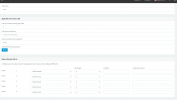
1634312212667.png
 
Check your provider's auth config. Forbidden could be either you have the wrong registration credentials or the provider has the wrong IP set in their ACL (if IP-based.)
 
I don't believe they are IP based as the IP/URL for the setup is Sipgate.co.uk

If I'm able to receive calls to the number surely it should work the other way But i guess not
 
I don't believe they are IP based as the IP/URL for the setup is Sipgate.co.uk

If I'm able to receive calls to the number surely it should work the other way But i guess not
Not necessarily. And the fact that it is configured with a URL (FQDN) doesn't mean anything.

IP-based means the PBX doesn't use credentials to place calls, the provider just checks the incoming request IP and if it maches, it works. This usually requires a static IP.

Registration-based, however, use username/password and thus allow for dynamic IPs to work.

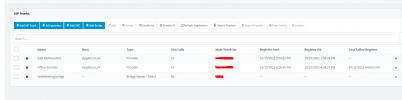
Post a screenshot of your Sip Trunk page where we see the config. Make sure to hide any passwords or details about your 3CX PBX.
 
Okay, few questions:

1. Why 2 trunks from the same provider?
2. Those are Register-based, can you just refresh registration of both? (Select them and use the button "Refresh Registration".)

Then, check the Event Log on the Dashboard for any errors. If a bad password is set, it will show a Forbidden error on the REGISTER request.
 
Okay, few questions:

1. Why 2 trunks from the same provider?
2. Those are Register-based, can you just refresh registration of both? (Select them and use the button "Refresh Registration".)

Then, check the Event Log on the Dashboard for any errors. If a bad password is set, it will show a Forbidden error on the REGISTER request.

1. the two trunks are Separate numbers That are being used by the company and the reason for them being separate is that there is two Login details for each account as each is technically a "user" under sipgate

2.I have tried that and it says Line has been registered, I can receive incoming calls just fine Just seems to be outgoing calls that are not working.
 
1. the two trunks are Separate numbers That are being used by the company and the reason for them being separate is that there is two Login details for each account as each is technically a "user" under sipgate

2.I have tried that and it says Line has been registered, I can receive incoming calls just fine Just seems to be outgoing calls that are not working.
Okay, in this case, make sure you have a Caller ID set in either the outbound rule, the extension or the default in the SIP Trunk.

The provider could be refusing the call because of a unauthorized CID.

If you know how to run a capture in 3CX, run one during your test call and DM it to me. (https://www.3cx.com/docs/capture-network-traffic/#h.x1xfmvssvmhw)
 
  • Like
Reactions: ChrisC_3CX
hi

last time i did that it still seemed to cause error.

i'm back in work on monday so will update then
 
  • Like
Reactions: Evolute IT
@BillyEGG
Okay, in this case, make sure you have a Caller ID set in either the outbound rule, the extension or the default in the SIP Trunk.
I know you've already mentioned checking this but, as a test, try specifically copying the main trunk number from "SIP Trunks >> Office Number >> General >> Route Calls To >> Main Trunk No", to the Outbound Rule CID in "Outbound Rules >> main >> Outbound Caller ID".

Apply the settings and make a call that will match that Outbound Rule and let us know what happens.
 
  • Like
Reactions: Evolute IT
HI, a reinstall seems to of fixed this issue it appears it was just sipgate that did not like having the two numbers on the one system
 
  • Like
Reactions: ChrisC_3CX
Glad to see you managed to reach to the bottom of this!

Just to clarify, when you say re-install do you mean re-install the whole 3CX PBX or reconfigure the SIP Trunk? Are you now only using a single SIP Trunk for this provider? Could you please clarify in detail a bit as to help others that may be facing this same or similar issue?
 
I did a Full reinstall of the 3cx software and PBX which has resolved the issue.

Im using a single provider with one trunk and it is confirmed working
 
  • Like
Reactions: ChrisC_3CX
In that case, it may be the fact that you're only using one Trunk now that solved the issue. In any case, I'm happy to hear this has been resolved!

Please feel free to start a new thread should you need additional information or assistance!
 
Status
Not open for further replies.

Forum statistics

Threads
111,974
Messages
590,081
Members
164,899
Latest member
mazet