- Joined
- Sep 20, 2023
- Messages
- 3
- Reaction score
- 0
Hi,
I need your help badly. 3CS will solve all my needs.
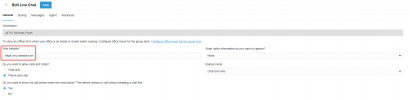
1.I have configured live chat as recommended and installed plugin wordpress. Set to active.
2. Added the 3CX Talk Url link to wordpress plugin [double checked many times]. Enabled plugln in settings.
Is it correct that the url ends with
".. /webclient"?
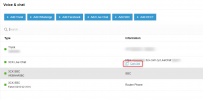
3. I am available as agent in 3CS panel, I am the only user.
4. My system seems to have been configured in accordance with the instructions. I have added domain as this (tried every possible way): https://www.mydomain.com
5. I have valid SSL for.my domain.
Still I can not connect, I see a transparent icon on my right on the site.
Is there anything in wordpress stopping?
Please help to find the solution.
Many thanks.
I need your help badly. 3CS will solve all my needs.
1.I have configured live chat as recommended and installed plugin wordpress. Set to active.
2. Added the 3CX Talk Url link to wordpress plugin [double checked many times]. Enabled plugln in settings.
Is it correct that the url ends with
".. /webclient"?
3. I am available as agent in 3CS panel, I am the only user.
4. My system seems to have been configured in accordance with the instructions. I have added domain as this (tried every possible way): https://www.mydomain.com
5. I have valid SSL for.my domain.
Still I can not connect, I see a transparent icon on my right on the site.
Is there anything in wordpress stopping?
Please help to find the solution.
Many thanks.
Last edited: