- Joined
- Mar 10, 2021
- Messages
- 11
- Reaction score
- 1
Hey there,
I am trying to connect our CRM as an integration to a 3CX account by using the template generator. As a product manager of this CRM I am doing some kind of research and prototyping.
With static authentication I have already managed to successfully test some calls via the template generator. Unfortunately I can't manage to implement actual authentication.
The actual authentication works as follows:
A request is sent to the endpoint.
This call contains a token in the header and returns a cognitoToken as result in plaintext.
This cognitoToken should now be used in the header for all subsequent calls. For example, to call a contact:
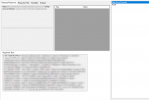
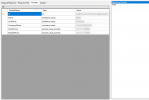
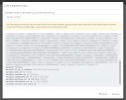
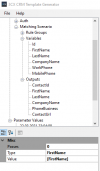
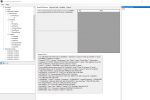
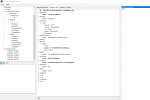
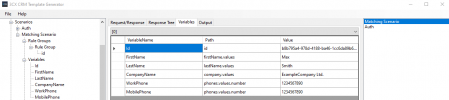
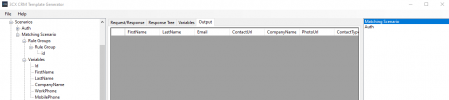
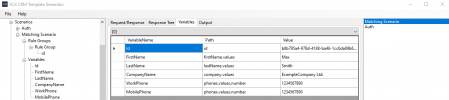
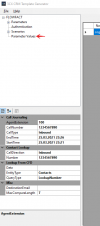
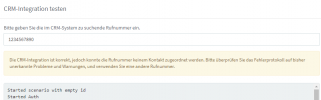
Unfortunately I can't make it use the cognitoToken from the first call for further calls. It seems that the header is not taken into account when requesting a contact. However, you can see in testing that the call to fetch the cognitoToken was successful. What am I doing wrong?
Here is my current template:
Would be great if you can support me. If it works we can have a general template for our crm solution provided to all (potential) customers.
I am trying to connect our CRM as an integration to a 3CX account by using the template generator. As a product manager of this CRM I am doing some kind of research and prototyping.
With static authentication I have already managed to successfully test some calls via the template generator. Unfortunately I can't manage to implement actual authentication.
The actual authentication works as follows:
A request is sent to the endpoint.
Code:
curl --location --request GET 'https://thegatewayhere.com/admin-token-service/stable/public/adminUser/authenticate' \
--header 'token: mySecretToken'
This cognitoToken should now be used in the header for all subsequent calls. For example, to call a contact:
Code:
curl --location --request GET 'https://api.production.cloudios.flowfact-prod.cloud/entity-service/entities/72e014c3-f4c2-41f8-bea3-aa9e2a1eac4d' \
--header 'cognitoToken: theCognitoTokenHere'
Unfortunately I can't make it use the cognitoToken from the first call for further calls. It seems that the header is not taken into account when requesting a contact. However, you can see in testing that the call to fetch the cognitoToken was successful. What am I doing wrong?
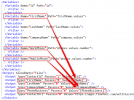
Here is my current template:
XML:
<?xml version="1.0"?>
<Crm xmlns:xsi="http://www.w3.org/2001/XMLSchema-instance" xmlns:xsd="http://www.w3.org/2001/XMLSchema" Country="US" Name="FLOWFACT2" Version="1">
  <Number Prefix="Plus" MaxLength="500" />
  <Connection MaxConcurrentRequests="2" />
  <Authentication Type="Scenario">
    <Value>Auth</Value>
  </Authentication>
  <Scenarios>
    <Scenario Id="Auth" Type="REST">
      <Request SkipIf="" Url="https://thegatewayhere.com/admin-token-service/stable/public/adminUser/authenticate" MessagePasses="0" RequestEncoding="UrlEncoded" RequestType="Get" ResponseType="PlainText">
        <Headers>
          <Value Key="token" Passes="0" Type="String">mySecretToken</Value>
        </Headers>
      </Request>
      <Variables>
        <Variable Name="cognitoToken">
          <Filter />
        </Variable>
      </Variables>
      <Outputs AllowEmpty="false">
        <Output Type="HeaderName" Passes="0" Value="cognitoToken" />
        <Output Type="HeaderValue" Passes="0" Value="[cognitoToken]" />
      </Outputs>
    </Scenario>
    <Scenario Id="" Type="REST">
      <Request Url="https://thegatewayhere.com/entity-service/entities/72e014c3-f4c2-41f8-bea3-aa9e2a1eac4d" MessagePasses="0" RequestEncoding="UrlEncoded" RequestType="Get" ResponseType="Json">
      </Request>
      <Rules>
        <Rule Type="Any">id</Rule>
      </Rules>
      <Variables>
        <Variable Name="ContactID" Path="id">
          <Filter />
        </Variable>
        <Variable Name="FirstName" Path="firstName.values">
          <Filter />
        </Variable>
        <Variable Name="LastName" Path="lastName.values">
          <Filter />
        </Variable>
        <Variable Name="CompanyName" Path="company.values">
          <Filter />
        </Variable>
        <Variable Name="PhoneBusiness" Path="phones.values.number">
          <Filter />
        </Variable>
      </Variables>
      <Outputs AllowEmpty="false">
        <Output Type="ContactID" Passes="0" Value="[ContactID]" />
        <Output Type="FirstName" Passes="0" Value="[FirstName]" />
        <Output Type="LastName" Passes="0" Value="[LastName]" />
        <Output Type="CompanyName" Passes="0" Value="[CompanyName]" />
        <Output Type="PhoneBusiness" Passes="0" Value="[PhoneBusiness]" />
        <Output Type="ContactUrl" Passes="0" Value="https://apps.flowfact.com/entities/entity-overview/entityId/[ContactID]/schemaId/contacts/layoutId/contacts" />
      </Outputs>
    </Scenario>
  </Scenarios>
</Crm>
Would be great if you can support me. If it works we can have a general template for our crm solution provided to all (potential) customers.