- Joined
- Jan 31, 2024
- Messages
- 17
- Reaction score
- 1
I have been 3CX self hosted Professional for the past month or so without issues. Last night it showed that my flow route trunk was down. I tried a handful of things, but ultimately tried to readd the trunk without any progress.
It passes the firewall check without issues. the SIP trunk looks to be set up properly.- same as it has been for the last month. I don't really think anything changed. I know automatic updates are set for Saturday night, so is it possible that it updated and caused issues? I show version as: 18.0 update 9 (build 23)
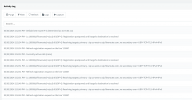
After I was trying to add a sip trunk a few times i blacklisted an IP i don't recognize. But i wonder if its a 3CX IP or maybe a flowroute IP, since i get the notice when i was trying multiple things to get the trunk working again.
I am pretty new to this system, so any help would be appreciated.
It passes the firewall check without issues. the SIP trunk looks to be set up properly.- same as it has been for the last month. I don't really think anything changed. I know automatic updates are set for Saturday night, so is it possible that it updated and caused issues? I show version as: 18.0 update 9 (build 23)
After I was trying to add a sip trunk a few times i blacklisted an IP i don't recognize. But i wonder if its a 3CX IP or maybe a flowroute IP, since i get the notice when i was trying multiple things to get the trunk working again.
I am pretty new to this system, so any help would be appreciated.