- Joined
- Apr 4, 2022
- Messages
- 41
- Reaction score
- 6
Good afternoon.
I’ll try to explain our problem as clearly as possible.
Could this be a bug in 3cx version ?
Prod server: Version 20.0 Update 8 (Build 1121 Release)
Test server: Version 20.0 Update 9 (Build 670 Alpha)
It all started because we’re unable to manage the phones after upgrade 20.0.7.1080 (release) => 20.0.8.1121 (release).
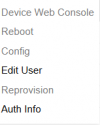
We started looking into the issue with the phone templates. We noticed that there is no option to edit the template.
The “Save” button isn't working.
We have a test 3CX instance, and that same template can be edited there without any issues.
We noticed that when editing a template in the test environment, it appears in the address bar.

However, this is not the case on the production server.

I’ll try to explain our problem as clearly as possible.
Could this be a bug in 3cx version ?
Prod server: Version 20.0 Update 8 (Build 1121 Release)
Test server: Version 20.0 Update 9 (Build 670 Alpha)
It all started because we’re unable to manage the phones after upgrade 20.0.7.1080 (release) => 20.0.8.1121 (release).
We started looking into the issue with the phone templates. We noticed that there is no option to edit the template.
The “Save” button isn't working.
We have a test 3CX instance, and that same template can be edited there without any issues.
We noticed that when editing a template in the test environment, it appears in the address bar.
However, this is not the case on the production server.