Live Chat Integration with WIX

Status
Not open for further replies.

elitetechsales

New User
Joined
Nov 6, 2023
Messages
7
Reaction score
1
Can you use live chat integration with free version of Wix?

The chat icon appears greyed out and I'm unable to click it.

1699308123115.png

Appreciate any help with this!
 
Check that the website address you have entered in the 'Your website' section within the live chat configuration in the admin console side is an exact match to your website address. A mismatch here will cause this issue.

Did you also follow the guide: https://www.3cx.com/docs/wix-live-chat/
 
I did follow the guide. I tried using the exact match and replacing the dots (.) with dashes (-), which I saw on another thread. Been plucking away for 2 days with no luck. I hope I'm just doing something wrong but I've followed each step several times with the same results.
 
Then, try checking the dev tools on your site, inspect the live chat element, and check if anything on your site maybe interfere with the 3CX live chat.
 
I do see several errors. How can I fix those?

Failed to load resource: net::ERR_FAILED

There's also an error .....has been blocked by CORS policy.
 
Is there any other information I can provide to help resolve this issue?
 
I do see several errors. How can I fix those?

Failed to load resource: net::ERR_FAILED

There's also an error .....has been blocked by CORS policy.
In your browser click on More Tools and open the development tools --- console

Perhaps you see an error like Access to fetch blah blah blah from Origin and there is an URL, well copy that URL and paste it in your live chat configuration without any / at the end, once done, try it one more time.
 
Okay. That allowed me to make some progress. Thank you for that.

The chat icon is now clickable but the chat option doesn't appear.

1699319388751.png

this is the message in dev console

DevTools failed to load source map: Could not load content for https://mysite.wixsite.com/nonMainSdks.********.chunk.min.js.map: Fetch through target failed: Target not supported; Fallback: HTTP error: status code 404, net::ERR_HTTP_RESPONSE_CODE_FAILURE
 
I advise you to check the official documentation again, the same must be using https instead http.

Check it one more time and give it a try, this works out of the box.
 
I tried again.

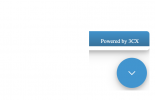
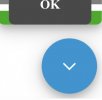
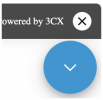
And, had a better view on mobile.

1699328228081.jpeg
1699328246549.jpeg

Even though there's a display issue, it seems as though the buttons were functioning.

What you see in the screenshot is all that was visible in the chat window. Everything else was cut off.


However, I'm not even seeing those options on laptop.

Mac:

1699328172582.png


It seems as though something in the code is broken.

I'm just copying the code from here:

1699328321823.png
Should I be adding / removing anything?

I appreciate any further assistance with this.

I've tried following the guide step by step.

Thanks,
 
@elitetechsales I would suggest copying and pasting our code snipper onto a blank/fresh page and see if the issue persists.

If the chat bubble works on the blank page, then I would have to agree with my colleague who stated that it is possible something on your current page is conflicting with the Live Chat bubble or possibly not allowing certain assets to load.
 
That solved my issue. Thank you so much for helping with this and for this amazing product.
 
  • Love
Reactions: CostasT_3CX
Thanks for the reply, and glad the issue is resolved for you.
 
  • Like
Reactions: CostasT_3CX
Status
Not open for further replies.

Forum statistics

Threads
112,147
Messages
590,961
Members
165,167
Latest member
Finatra.us