Livechat functionality

Status
Not open for further replies.

W2B_IT

Free User
Joined
Jan 26, 2021
Messages
2
Reaction score
0
Hi

We are looking to implement livechat to our website to replace of our current solution but there are some functionality requirements we need.

Are the below possible or likely to be introduced at some point?

Can it show the Location of customer? - I can see it supplies the customers IP address, is it possible to utilise this in someway to give a rough location of where the customer is in the country? Our current solution provides a map based on the IP address.

Can you control audio and video by profile? - I know the Livechat has a global setting for video, video + audio etc.., but would it be possible to override this on a per agent level? IOt would be useful if we had staff that are able to take audio calls but cannot take video calls.

Can you add Reporting Tags on the chat? - The ability to either add manual tags or use pre-defined tags that can then be used for reporting.

Does it indicate what webpage the customer is on? - We need to be able to see which page on our web site the customer was on when they started the Live chat.

Thanks.
 
Hi there,

Can you add Reporting Tags on the chat? - The ability to either add manual tags or use pre-defined tags that can then be used for reporting.
We don't have the ability to add tags, but there are some reports that you can run to get certain statistics for Chats going to Queues. What kind of reports would you be looking for?


Does it indicate what webpage the customer is on? - We need to be able to see which page on our web site the customer was on when they started the Live chat.
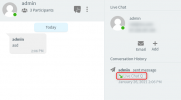
You can do this indirectly. For each Website, create a separate Queue in 3CX. All Queues could have the same agents in them, but the Queue Name would be per site. Then when an incoming chat arrives, from the "Information" panel of the WebClient, you can see which Queue the chat arrived through, and though this understand which site the chat originated from
1611662993987.png


Generally we are brainstorming various features for the Live Chat plugin, so any suggestions are welcome.
 
Hi Nick

Thanks for the response.

With regards to the tagging it was requested buy my customer care team but they didn't really elaborate on what it is used for.

Is it possible to integrate the Live chat with a CRM package? So it creates or finds a contact then we can tag it on that instead?
 
Is it possible to integrate the Live chat with a CRM package? So it creates or finds a contact then we can tag it on that instead?
For the time being we don't have CRM integration for SMS, but it is one of the things we are looking at.
 
Hello @W2B_IT

See my answers inline.

Can you control audio and video by profile? - I know the Livechat has a global setting for video, video + audio etc.., but would it be possible to override this on a per agent level? IOt would be useful if we had staff that are able to take audio calls but cannot take video calls.

This can be done at the moment via the code-generator (https://www.3cx.com/live-chat/code-generator/) where you can populate multiple scripts that later on you can host them on various pages on your Website.
Example:
Queue with Video Functionality > Add it on Support Page of your Website.
Queue with Audio only Functionality > Add it on Sales Page of your Website.

Multiple routes configuration on WordPress is something that will be added in future releases of the plugin.

Can it show the Location of customer? - I can see it supplies the customers IP address, is it possible to utilise this in someway to give a rough location of where the customer is in the country? Our current solution provides a map based on the IP address.

At the moment there is no plan to extend this one by showing information in a map.
 
Hi there,


We don't have the ability to add tags, but there are some reports that you can run to get certain statistics for Chats going to Queues. What kind of reports would you be looking for?


You can do this indirectly. For each Website, create a separate Queue in 3CX. All Queues could have the same agents in them, but the Queue Name would be per site. Then when an incoming chat arrives, from the "Information" panel of the WebClient, you can see which Queue the chat arrived through, and though this understand which site the chat originated from
View attachment 20321


Generally we are brainstorming various features for the Live Chat plugin, so any suggestions are welcome.
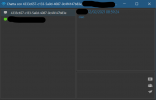
Hello, we have same problem with live chat and sites using WP plugin. I created separate queue as suggested but when the chat starts the agents can only see an ID not the name of the queue like this:
Immagine 2021-02-12 090113.png
do you have any suggestions to avoid this?
Thanks in advance.
Carlo
 
As you can see it is currently in Beta, so it is bundled with V16 Update 8 Beta. You can either install U8 Beta or wait until U8 is officially released.
Either way, once you install U8, once the users open their clients, they will get prompted to update them which will fix this issue.
 
Status
Not open for further replies.

Forum statistics

Threads
112,149
Messages
590,964
Members
165,170
Latest member
SupportRock