local 3cx , cisco spa 303 , spa 3102 , outbound problem?

Status
Not open for further replies.

ekipnet

New User
Joined
Aug 12, 2022
Messages
2
Reaction score
0
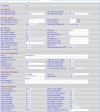
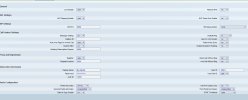
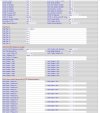
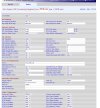
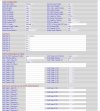
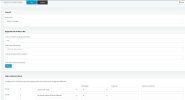
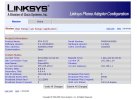
hi, i am using spa 3102 as fxo. I installed cisco spa303, 3cx works locally. I can receive calls in spa 303 and I receive internal calls. but when I want to make an outgoing call, it makes a call but the call comes back to the same phone, where do you think I should look for the problem?

There is also a working sip trunk in the system. Spa303 has sip trunk set as internal 1, and my analog fxo line is set as internal 3 and spa 3102.
 
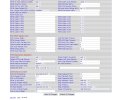
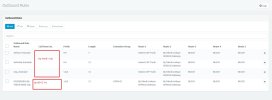
Screenshot_1.jpg
 

Attachments

  • Screenshot_2.jpg
    Screenshot_2.jpg
    183.6 KB · Views: 17
  • Screenshot_3.jpg
    Screenshot_3.jpg
    105.3 KB · Views: 14
  • Screenshot_4.jpg
    Screenshot_4.jpg
    151.2 KB · Views: 11
  • Screenshot_5.jpg
    Screenshot_5.jpg
    120.3 KB · Views: 14
  • Screenshot_6.jpg
    Screenshot_6.jpg
    194.3 KB · Views: 16
Last edited:
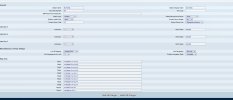
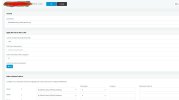
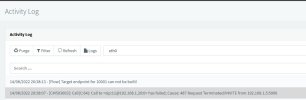
First off, on screenshot 6, you put the incoming dialplan into 1. Farther down the PSTN Default dialplan also needs to be 1, if not set. Could you post the remaining page, that has a lot of critical settings? Also post a 3CX Activity Log of an attempted outgoing call. That is what is going to tell you what is happening. You may have to set to Verbose for the detailed information.
 
Hello, I have attached the screenshots you requested. The call logs you requested can be found in screenshot 11.
I cannot make an outgoing call while the phone is receiving an incoming call.

by the way , I entered the spa3102 internal information as the 2nd line on the phone , is this not correct ? In this way, I can drop incoming calls to that phone. but when I make an outgoing call, it's like screenshot 11 and that's my prolem
edit ; I realized that I could make incoming calls because I added the line to the sip trunk part. ( screenshot 12 ) I think it is necessary to add a line as an extension to my phone and get a line from fxo for calling. I'm aware that I'm doing something wrong and I can't figure out where to do it :)
 

Attachments

  • Screenshot_7.jpg
    Screenshot_7.jpg
    180.2 KB · Views: 8
  • Screenshot_8.jpg
    Screenshot_8.jpg
    192.9 KB · Views: 6
  • Screenshot_9.jpg
    Screenshot_9.jpg
    184.1 KB · Views: 4
  • Screenshot_10.jpg
    Screenshot_10.jpg
    185.7 KB · Views: 7
  • Screenshot_11.jpg
    Screenshot_11.jpg
    40.7 KB · Views: 7
  • Screenshot_12.jpg
    Screenshot_12.jpg
    70 KB · Views: 9
Last edited:
Is there anyone who can help?
 
by the way , I entered the spa3102 internal information as the 2nd line on the phone , is this not correct ?
Huh?

The phone you are using with 3CX should be registered to the PBX using the credentials supplied when you create the extension, or auto provisioned.. The set should not be provisioned using any settings taken from,or used with the 3102. They are completely separate units. Any calls made by the set should go to 3CX, which in turn sends it to the 3102 if your outbound rules are setup correctly. The same thing with incoming calls, in through the 3102, then 3CX uses a rule to send to the extension.
 
  • Like
Reactions: AWS2P
Huh?

The phone you are using with 3CX should be registered to the PBX using the credentials supplied when you create the extension, or auto provisioned.. The set should not be provisioned using any settings taken from,or used with the 3102. They are completely separate units. Any calls made by the set should go to 3CX, which in turn sends it to the 3102 if your outbound rules are setup correctly. The same thing with incoming calls, in through the 3102, then 3CX uses a rule to send to the extension.
Thank you for the information, is there any setting error you see in the spa 3102?
Also, I use SPA3102 only as FXO, not as FXS.

Well, I was logging into the ip phone with the information in the internal part of the 3cx and it was working smoothly, if that's the case; How do I make a call over an ip phone using my analog line, do I need to get a line by pressing a button?
 
Did you have the correct outbound rules for the cisco spa?
 
Did you have the correct outbound rules for the cisco spa?
I know that I am doing wrong in outgoing rules and I am wrong in how to arrange that part according to SPA3102, can you help with this?
 
No matter what trunks you use, a gateway, or SIP, you have to create outbound rules to send the correct digits to the provider. Outbound rules will vary depending on your location, and what digits you must send.

https://www.3cx.com/blog/voip-howto/outbound-rules-a-complete-example/

Check the Activity Log to see what is happening. You may have to set logging level to Verbose to get any useful information.
 
No matter what trunks you use, a gateway, or SIP, you have to create outbound rules to send the correct digits to the provider. Outbound rules will vary depending on your location, and what digits you must send.

https://www.3cx.com/blog/voip-howto/outbound-rules-a-complete-example/

Check the Activity Log to see what is happening. You may have to set logging level to Verbose to get any useful information.
If we give an example; I have 2 contour lines. Someone is analog someone is sip , my phone is calling the sip one directly , but to make an analog call , is it not necessary to select it by pressing a button ?
 
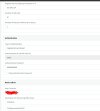
e.g ; When I turn off sip trunk and make all calls from spa3102 gateway, the following message appears. This means that instead of looking at the call settings of two separate lines, I first need to solve the calling problem of fxo spa3102. Then I have to go to the part of choosing which one I can call with two or more lines at the same time.
 

Attachments

  • Screenshot_13.jpg
    Screenshot_13.jpg
    25.6 KB · Views: 9
You need to fix your outbound rules at first. Just check the infos @leejor has given to you.
 
Does the 3102 actually appear to be registered in 3CX? The logs you posted shows a timeout, when sending a call, which suggests that there may be a network configuration issue.
 
Last edited:
Does the 3102 actually appear to be registered in 3CX? The logs you posted shows a timeout, when sending a call, which suggests that there may be a network configuration issue.
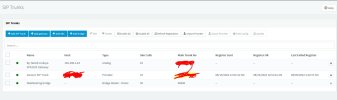
I shared a picture showing the sip trunk information, also; Calls from spa3102 pass over 3cx and come to ip phones. Doesn't that show that it's registered?
 

Attachments

  • Screenshot_15.jpg
    Screenshot_15.jpg
    92.6 KB · Views: 4
our problem continues, do you have friends who can help for a solution ?
 
Did you fixed your outbound rules?
I don't understand where you want me to check about outgoing settings. I wonder if I can't explain the problem because I wrote it through google translate.

my problem; It works in 3cx local, I have ip phones, I have a sip trunk line and all of them are working fine. In addition to these, I have connected the spa3102 fxo and plugged in my analog line, I receive the incoming call but the outgoing call is not dropped. I asked where should I look for the reason for this, that is, to narrow down the problems, should I search for the problem in spa3102 or in my 3cx switchboard, so I want to concentrate there.

The things that I can't understand the logic of; If I wasn't using fxo or spa3102, if I had 2 or more sip lines, what would I have to do in general to make a call from line B instead of calling out from my sip line named A using an ip phone?
 

Attachments

  • Screenshot_16.jpg
    Screenshot_16.jpg
    94.8 KB · Views: 3
You limited your outbound rule to the default group. Is the extension in this group?
 
You limited your outbound rule to the default group. Is the extension in this group?
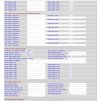
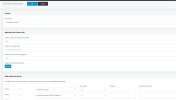
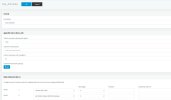
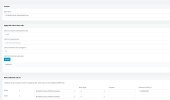
My outgoing call rules are like this
 

Attachments

  • Screenshot_1.jpg
    Screenshot_1.jpg
    106.1 KB · Views: 6
  • Screenshot_2.jpg
    Screenshot_2.jpg
    107.2 KB · Views: 6
  • Screenshot_3.jpg
    Screenshot_3.jpg
    108.5 KB · Views: 6
  • Screenshot_4.jpg
    Screenshot_4.jpg
    115.9 KB · Views: 6
Status
Not open for further replies.

Latest Posts

Forum statistics

Threads
112,324
Messages
591,897
Members
165,476
Latest member
awan05