Nano /etc/network/interfaces
From:
# The primary network interface
allow-hotplug eth0
iface eth0 inet dhcp
To:
# The primary network interface
auto eth0
allow-hotplug eth0
iface eth0 inet static
address 192.168.1.202
netmask 255.255.255.0
gateway 192.0.1.1
Network 192.168.1.0
Broadcast 192.168.1.254
Configure DNS
Nano /etc/resolv.conf
Nameserver 8.8.8.8
Nameserver 8.8.4.4
sudo service network restart
ifup eth0
ifconfig eth0
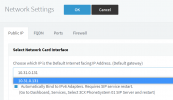
I just gave mine a reboot and the network is still there.Auto on is now the default in linux? My understanding is that if the network int isnt set to auto and the machine restarts it wont come up by itself
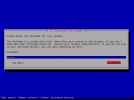
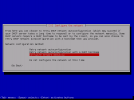
I ended up having to do a new install. In the linux version there is no capability during the install to set the local ip on the box to static. It just pulls the ip that the adapter has. Also when you change the local the ip the phone provisioning ip doesnt change.


Founded in 2005, when VoIP was an emerging technology, 3CX has gone on to establish itself as a global leader in business communications.