


- Joined
- Nov 10, 2020
- Messages
- 4
- Reaction score
- 0
Hi
We're receiving reports from our users that they don't always receive the voicemail's that are being left by our customers. I can see in the Call Logs that the customer is connecting to the extension, then connecting to the correct voicemail, spending a period of time there, but when the call ends, no message appears to the user.
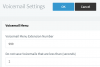
Our suspicion is that some customer's are pressing * instead of # to save the message which appears to abandon the voicemail and redirects them to a default "operator extension". As we have multiple operators at different sites the ability to leave voicemail and connect to a single operator's extension is totally useless to us and it appears that there's no option to disable this functionality. We have re-recorded the default answer message so the option to press * isn't given to the customer, however as we can't disable the functionality this doesn't prevent the customer from still performing this action.
I was hoping someone may have experienced similar issues and found a solution that they could share?
Thanks
Stephen
We're receiving reports from our users that they don't always receive the voicemail's that are being left by our customers. I can see in the Call Logs that the customer is connecting to the extension, then connecting to the correct voicemail, spending a period of time there, but when the call ends, no message appears to the user.
Our suspicion is that some customer's are pressing * instead of # to save the message which appears to abandon the voicemail and redirects them to a default "operator extension". As we have multiple operators at different sites the ability to leave voicemail and connect to a single operator's extension is totally useless to us and it appears that there's no option to disable this functionality. We have re-recorded the default answer message so the option to press * isn't given to the customer, however as we can't disable the functionality this doesn't prevent the customer from still performing this action.
I was hoping someone may have experienced similar issues and found a solution that they could share?
Thanks
Stephen


 .
.


