- Joined
- Oct 30, 2023
- Messages
- 2
- Reaction score
- 2
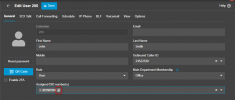
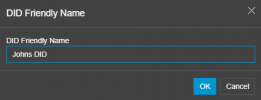
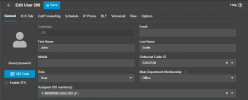
I moved from a traditional Toshiba PBX system to 3CX with SIP trunk. How do I tie a DID to a button on my Yealink T46U. Before, each line was tied to a key on the phone -- so when one line rang, I could distinguish immediately which line was ringing by looking at which button on the phone was blinking. For the life of me, I cannot figure out how to do this. I know that the DIDs are virtual with SIP and it's different, but it seems like such a basic function that I cannot find. Here is what I want:
Call incoming on DID A > key 1 starts blinking
Call incoming on DID B > key 2 starts blinking
When I press key 1 and dial a number, I want my outbound caller ID to show DID A.
When I press key 2 and dial a number, I want my outbound caller ID to show DID B.
Also, I have Pro, not sure why it says i'm a SOHO user.
Call incoming on DID A > key 1 starts blinking
Call incoming on DID B > key 2 starts blinking
When I press key 1 and dial a number, I want my outbound caller ID to show DID A.
When I press key 2 and dial a number, I want my outbound caller ID to show DID B.
Also, I have Pro, not sure why it says i'm a SOHO user.