Maximum Channels Used?

Status
Not open for further replies.

greatchoice

Silver Partner
Basic Certified
Joined
Sep 21, 2020
Messages
265
Reaction score
13
I am wondering if there is a way to run a report or find out how many channels were used for a specific trunk at any given time? Besides limiting SIP channels for calls then seeing errors that the trunk is over the limit and gives a poor experience.
 
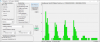
As @kieferschild has kindly mentioned, you can use my CallSequitur tool to analyse a whole range of things. For example the screenshot below shows an analysis of simultaneous calls (=channels used) for one specific trunk (details deliberately obscured!):

1605721285163.png

CallSequitur does require that you enable CDRs on your 3CX system, however most people don't use this capability and there is no conflict with any other 3CX reporting functions that you may use. Collecting CDRs does enable you to delve back in time if there are any events or statistics that you need to retrospectively take a closer look at, there is also a 'live' updating chart covering the last 24 hours of data that can also show simultaneous call levels 'at a glance'.

If you want to try the software or read more about it then you will find everything here.
 
Last edited:
  • Like
Reactions: nub
Your SIP trunk provider should also be able to provide this information.
 
I'll second CallSequitur, our SIP provider was not able to provide those numbers so I discovered CallSequitur filled the need while providing feedback way beyond those simple numbers. Once installed it instantly becomes your number one interface for reports; I rarely even login to my 3CX server anymore, except for system changes.
 
Your SIP trunk provider should also be able to provide this information.
He might want to calculate internal calls as well. If it's for the 3CX license, then you must account for both.
 
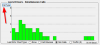
No problem for CallSequitur. On the main screen you will see this graph shown below, taken from my system just now. With each click of the "Call Type" button the graph changes from All, O/G + I/C, O/G, I/C, and finally Internal. I check this screen every day just to get an instant overview of the system, looking for any anomalies or trunk limit issues.
CS.png
 
  • Like
Reactions: Evolute IT
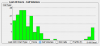
Here is the same graph but switched over to Call Volume, showing how different these two reports are but using the same graph. When you place the mouse over a bar it will display the time period as well as the actual number for that element.

cs2.png
 
Status
Not open for further replies.

Latest Posts

Forum statistics

Threads
111,990
Messages
590,163
Members
164,926
Latest member
tohoken1