Microsoft 365 Syncing to wrong user extension

Status
Not open for further replies.

Elijah Metherd

Silver Partner
Basic Certified
Joined
Aug 23, 2018
Messages
14
Reaction score
8
New phone system. Not live yet, but the primary system owner account (ext. 1000) is syncing to my office365 email, so now when I imported our list of users, my extension will not sync with my o365 account. I have changed the email for the system owner account, uncheck the sync boxes. No matter what I try, when the system syncs with Microsoft it renames ext 1000 back to me. Please help!
 
New phone system. Not live yet, but the primary system owner account (ext. 1000) is syncing to my office365 email, so now when I imported our list of users, my extension will not sync with my o365 account. I have changed the email for the system owner account, uncheck the sync boxes. No matter what I try, when the system syncs with Microsoft it renames ext 1000 back to me. Please help!
I ended up disabling the sync for the account in question, then changed the system owner extension email to a different o365 email. Then turned the sync back on for the new o365 account and let the system owner extension sync with that new o365 account. After that was successful, I then turned the sync on the initial account I was having an issue with, and it finally synced with the correct extension.
 
  • Like
Reactions: Guillaume Bourgeois
It does not work for me. I did the same as you did: disabling the sync for the account in question, then changed the system owner extension email to a different o365 email. Then turned the sync back on for the new o365 account and let the system owner extension sync with that new o365 account.
3CX created a new extension 1001 with the new o365 account instead of sync 1000.

Most likely, the 3CX still has the M365 tag on the existing user, even disabling the sync. And I can't delete extension 1000.
 
It does not work for me. I did the same as you did: disabling the sync for the account in question, then changed the system owner extension email to a different o365 email. Then turned the sync back on for the new o365 account and let the system owner extension sync with that new o365 account.
3CX created a new extension 1001 with the new o365 account instead of sync 1000.

Most likely, the 3CX still has the M365 tag on the existing user, even disabling the sync. And I can't delete extension 1000.
Find the issue: the new o365 account does not have a mailbox.
Now, the last issue: why does one user not sync? The email address matches the principal name. The 3CX does not create a new extension, and it does not sync with the existing user. I tried to delete the user in 3CX and recreate it, but it still does not work.
 
  • Like
Reactions: Charles_3CX
The 365 sync uses the email address, not the principal name, to sync to specific 3cx users from their corresponding 365 user account. The 365 user must have an email address/mailbox.
 
The 365 sync uses the email address, not the principal name, to sync to specific 3cx users from their corresponding 365 user account. The 365 user must have an email address/mailbox.
Hello Charles,

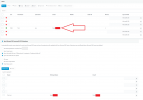
I have one user who just does not sync for some reason and automatically creates. He has an email/mailbox.
 

Attachments

  • 3CX.png
    3CX.png
    59.1 KB · Views: 31
Look under the user Azure ADD account for the User type set to Member and not Guest.
 
I'm having the same problem with multiple extensions.
Elijah's workaround did not work for me

for example:
1. two extensions have the same mail address. The M365 Account is linked to the wrong extension
2. disabled M365 sync
3. removed the mail from the wrong extension (left it empty)
4. enabled M365 sync again
5. account is still linked to the wrong extension
6. changed the mail address of the wrong extension to something else
7. repeated steps 2 and 4
8. account is still linked to the wrong extension

is there a way to manually correct the link?
via cli maybe?
 
  • Like
Reactions: Charles_3CX
I'm having the same problem with multiple extensions.
Elijah's workaround did not work for me

for example:
1. two extensions have the same mail address. The M365 Account is linked to the wrong extension
2. disabled M365 sync
3. removed the mail from the wrong extension (left it empty)
4. enabled M365 sync again
5. account is still linked to the wrong extension
6. changed the mail address of the wrong extension to something else
7. repeated steps 2 and 4
8. account is still linked to the wrong extension

is there a way to manually correct the link?
via cli maybe?
Instead of removing the mail from the wrong extension, you need to replace the email with a different o365 email and sync it. So, the wrong extension will let go of the old M365 account and sync with a different 0365 account.
 
Status
Not open for further replies.

Latest Posts

Forum statistics

Threads
111,973
Messages
590,075
Members
164,895
Latest member
jasonkkrause