Solved Microsoft SSO not working

Status
Not open for further replies.

lritpeter

Silver Partner
Joined
Feb 8, 2023
Messages
53
Reaction score
4
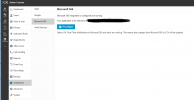
After upgrading to V20. The option to sign in using Microsoft SSO is no longer working. Any one have any ideas?

1700860083715.png
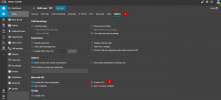
1700860170592.png
 
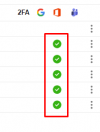
Hi did you check if the user has enabled the SSO option:

1700938005294.png


Try to reprovisioning the O365 as mentioned here and try it one more time.
 
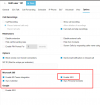
Yes, I have already tried to reconfigure O365. Yes I have confirmed O365 is enabled for each user.

1701034001589.png

1701034034875.png
 
You need first to configure the O365 integration and then enable the SSO option for the users.
 
Yes, I know. That is what I did. It is not working. More so, it was working on v18 and stopped working after upgrading to v20. I have also tried to remove the 3CX app from O365 Ent Apps and reconfigured from scratch. That did not help either.
 
Have you disabled SSO first, then re-configured the integration and still experience the issue?
 
That did the trick! Thanks!
 
Status
Not open for further replies.

Forum statistics

Threads
111,974
Messages
590,081
Members
164,899
Latest member
mazet