Solved Migrate from G Cloud to AWS - FQDN not working

Status
Not open for further replies.

jskinner97

Bronze Partner
Intermediate Cert.
Joined
Feb 6, 2020
Messages
132
Reaction score
8
I am wanting to migrate from Google Cloud to AWS. I did a test migration before I transfer over 10 PBXs by doing the following:

  • Full 3CX backup including FQDN on Google Cloud
  • Installed 3CX on AWS Marketplace, and instead of entering in the licence key I chose restore from backup
  • Chose the ports, same as Google Cloud and made sure they were open on AWS
  • Updated A records on C Panel pointing to the new AWS
  • Issue - Cannot access via the custom FQDN, only public IP address - ERR_CONNECTION_TIMED_OUT
Please can someone let me know if I am missing a step? On the 3CX portal it is showing the FQDN and the public IP address on the licence key which is correct.
 
Not sure why you are here. 3CX doesn't control your DNS if you are using custom DNS... If you can access via IP then you know you have the ports/firewall in place so it's clearly a DNS issue which you decided to make your problem by using a custom FQDN.
 
Not sure why you are here. 3CX doesn't control your DNS if you are using custom DNS... If you can access via IP then you know you have the ports/firewall in place so it's clearly a DNS issue which you decided to make your problem by using a custom FQDN.

I am here to see if anyone has had similar issues, and I have not migrated before so not sure if I am missing a step or two. I understand it’s not a 3CX FQDN, but upon checking the DNS checker website it is correctly pointing to the public IP
 
But it's not a 3CX issue at all. If opening a browser and going to the IP works and DNS doesn't then it's a DNS issue and not 3CX.If you ping by name does it resolve to the new IP?
 
But it's not a 3CX issue at all. If opening a browser and going to the IP works and DNS doesn't then it's a DNS issue and not 3CX.If you ping by name does it resolve to the new IP?

Yes, it resolves to the new IP - which is why I am confused to as why it is not working. I will contact the DNS provider and ask for some support
 
Hmm.. well then it seems less likely to be a DNS issue but not sure how 3CX would react. I don't do custom FQDN because there's no need and I don't want the headache. If IP works you could try running a wireshark while trying by DNS and see if it's even hitting 3CX.
 
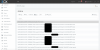
I just went onto the Activity Log to begin a Wireshark and noticed the following....
Anyway, I did the Wireshark and I can see my public IP of my ISP and on the chrome tab it is now saying "connection refused" - different from before. In the packet on Wireshark, the destination IP is incorrect - should it not be the IP of the PBX/AWS?
 

Attachments

  • Screenshot 2020-04-25 at 21.32.07.png
    Screenshot 2020-04-25 at 21.32.07.png
    481.8 KB · Views: 5
  • Screenshot 2020-04-25 at 21.36.06.png
    Screenshot 2020-04-25 at 21.36.06.png
    63.2 KB · Views: 5
UPDATE: Just refreshed the page, and added the port number this time and it worked! Sorry to bother you. No idea why it is working now, as I tried adding the port number before. Thanks again.
 
  • Like
Reactions: NickD_3CX
Status
Not open for further replies.

Latest Posts

Forum statistics

Threads
111,945
Messages
589,866
Members
164,835
Latest member
Firefox Technologies